
Aimed at guiding platform users on how to view the history of improvements, fixes, and new features implemented in the Marketplace.
Where to Find Update Logs #
With the new update developed by the technical team, the update logs are now directly accessible from the platform’s admin panel.
Step-by-Step Guide to Access the Logs: #
- Log in to the Admin Panel with your administrator credentials.
- In the side menu, go to System.
- Click on the new option called Update Log.
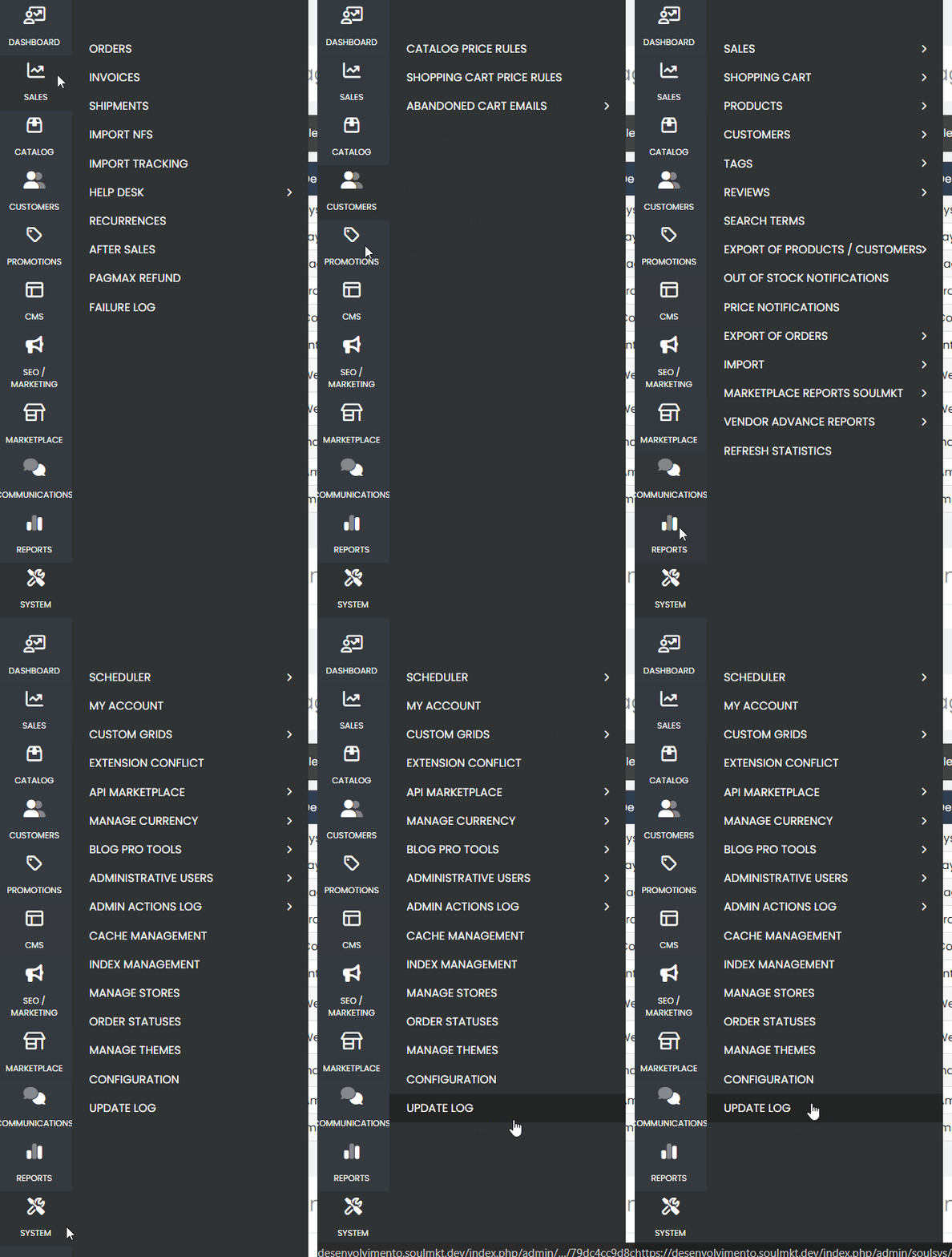
In the Update Logs section, you will find:
- Update Version: identification of the released version.
- Update Date: the date it was published in the system.
- Change Description: a detailed list of everything that was adjusted, fixed, improved, or implemented.
The information may include:
- New features
- Bug fixes
- Adjustments to existing features
- Performance improvements
- Client-requested implementations
Note: Whenever a new update is applied to the platform, the technical team will manually record the details in this section so administrators can transparently track the system’s evolution.