
This documentation aims to demonstrate how you can generate a report of the best-selling products in your Marketplace. In summary, in this article, you will learn how to access the function and view the best-selling products with up-to-date information.
To access this report, please go to your admin panel. If you need guidance on how to access it, refer to the article ‘How can I access my admin panel?‘
First, before exporting and viewing the data related to the best-selling products, it is important to update the statistics to ensure that the data you see is always the most recent. The platform performs this update daily during the early morning hours to avoid system slowdowns. However, you can request a manual update to view the best-selling product data more up-to-date.
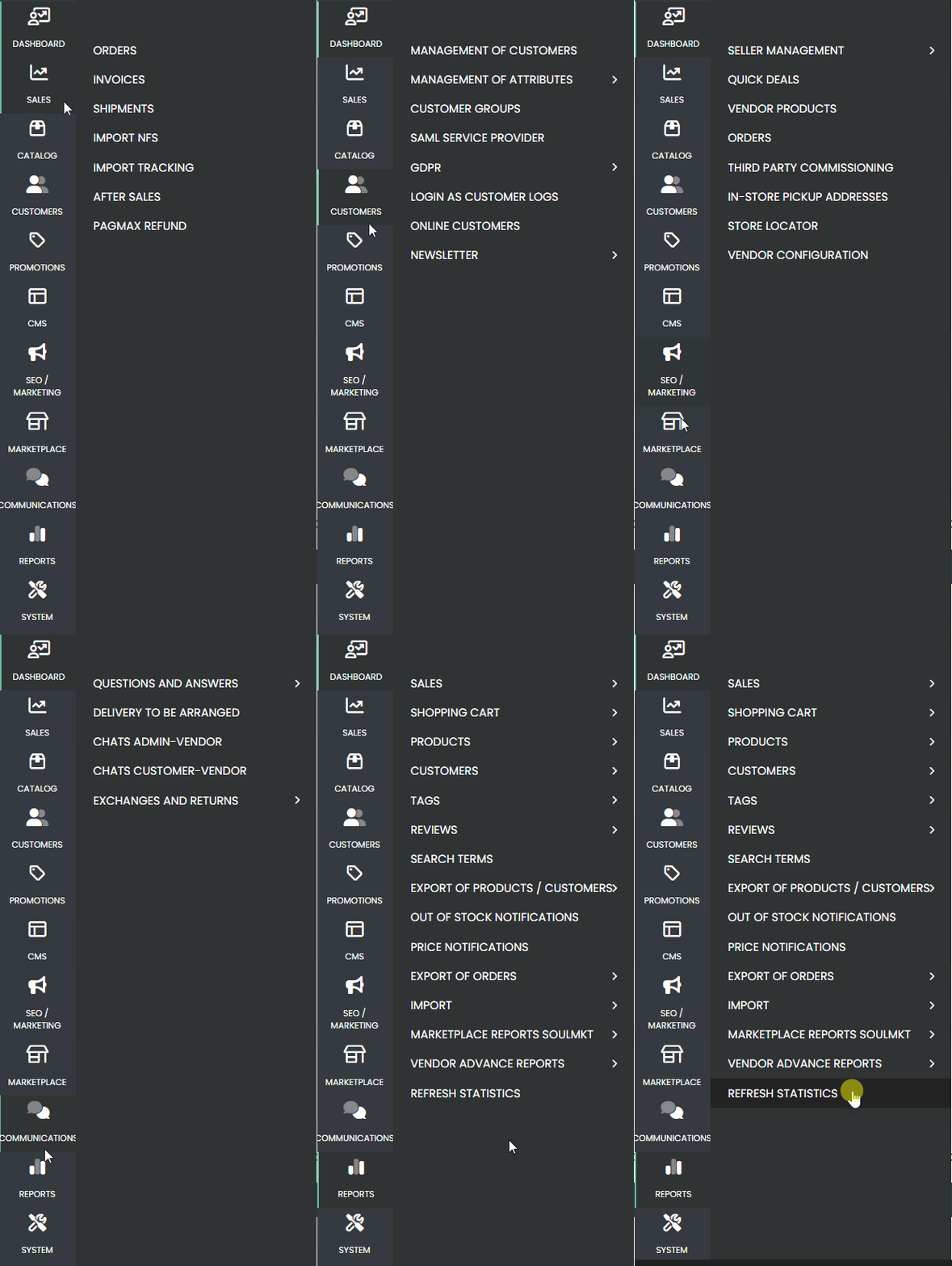
To perform this update, navigate to the side menu, go to the ‘REPORTS’ tab, and select the ‘UPDATE STATISTICS‘ option.
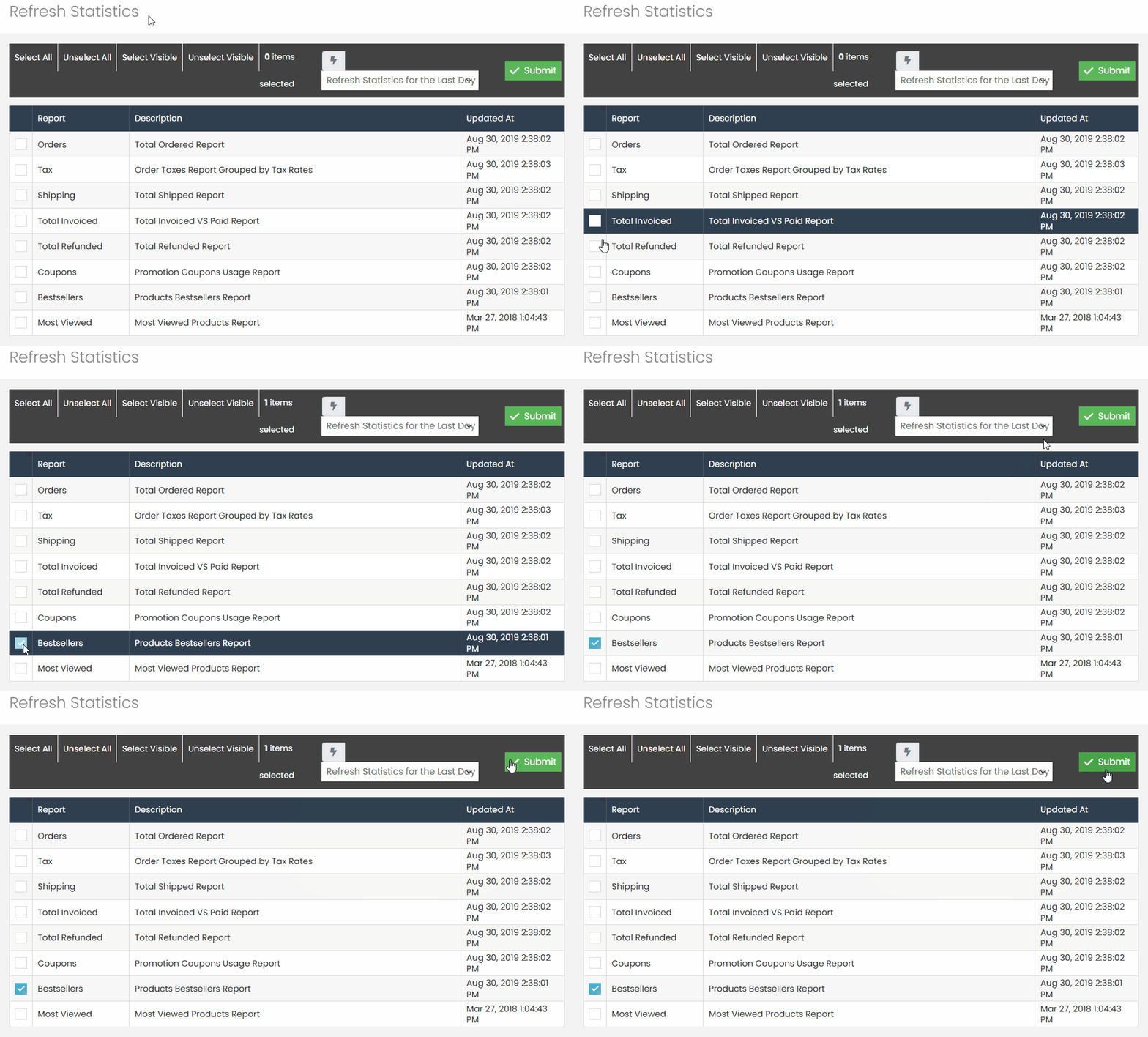
Wait for the page to load, check the ‘Best Sellers‘ report, select the option ‘Update Statistics for the Last Day,’ and then click ‘Submit.
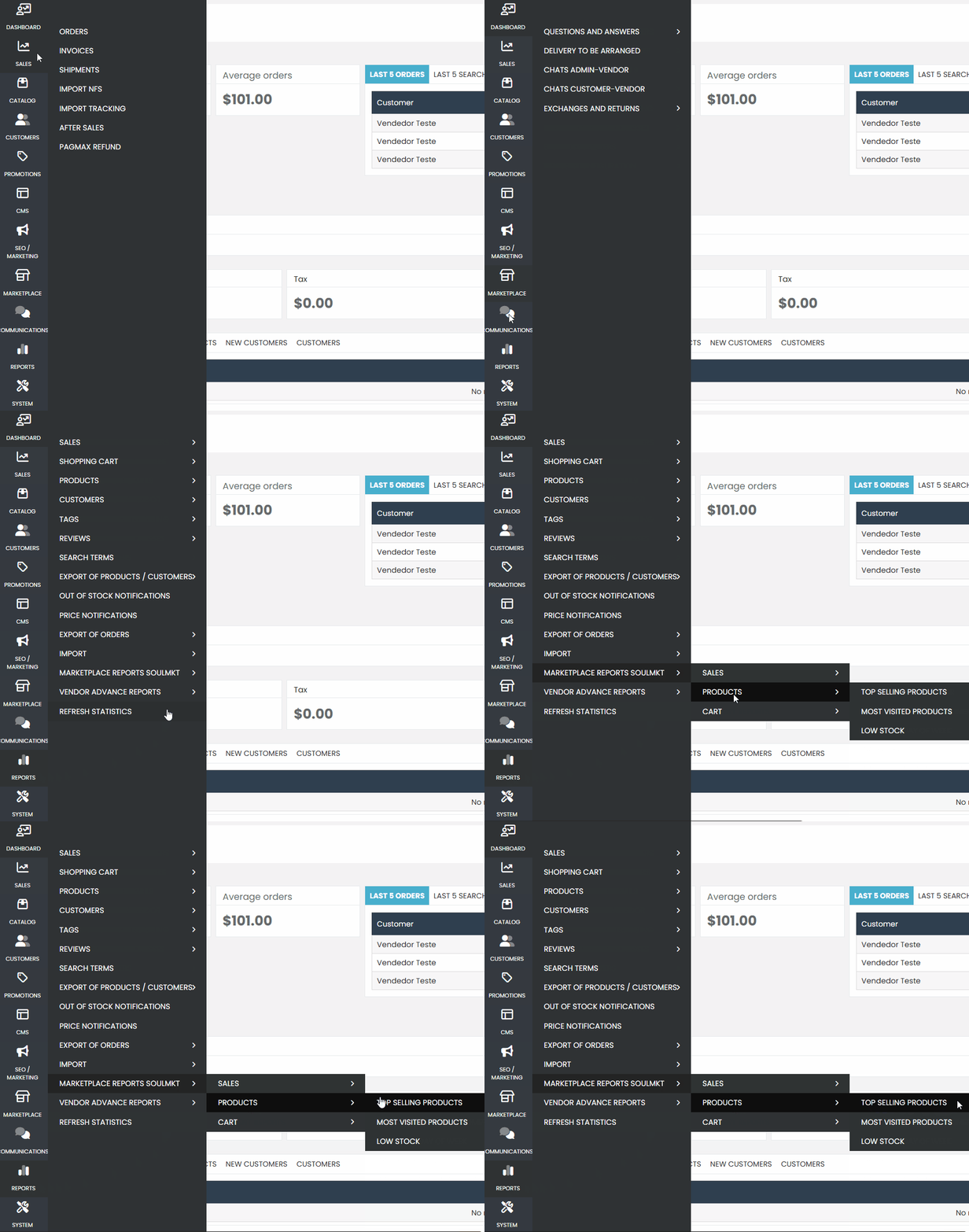
To view the best-selling products, go to your admin panel and navigate to the side menu under the ‘REPORTS‘ tab. In the new submenu that opens, go to the ‘MARKETPLACE REPORTS‘ tab, click on the second option ‘PRODUCTS,’ and then click on ‘BEST-SELLING PRODUCTS.
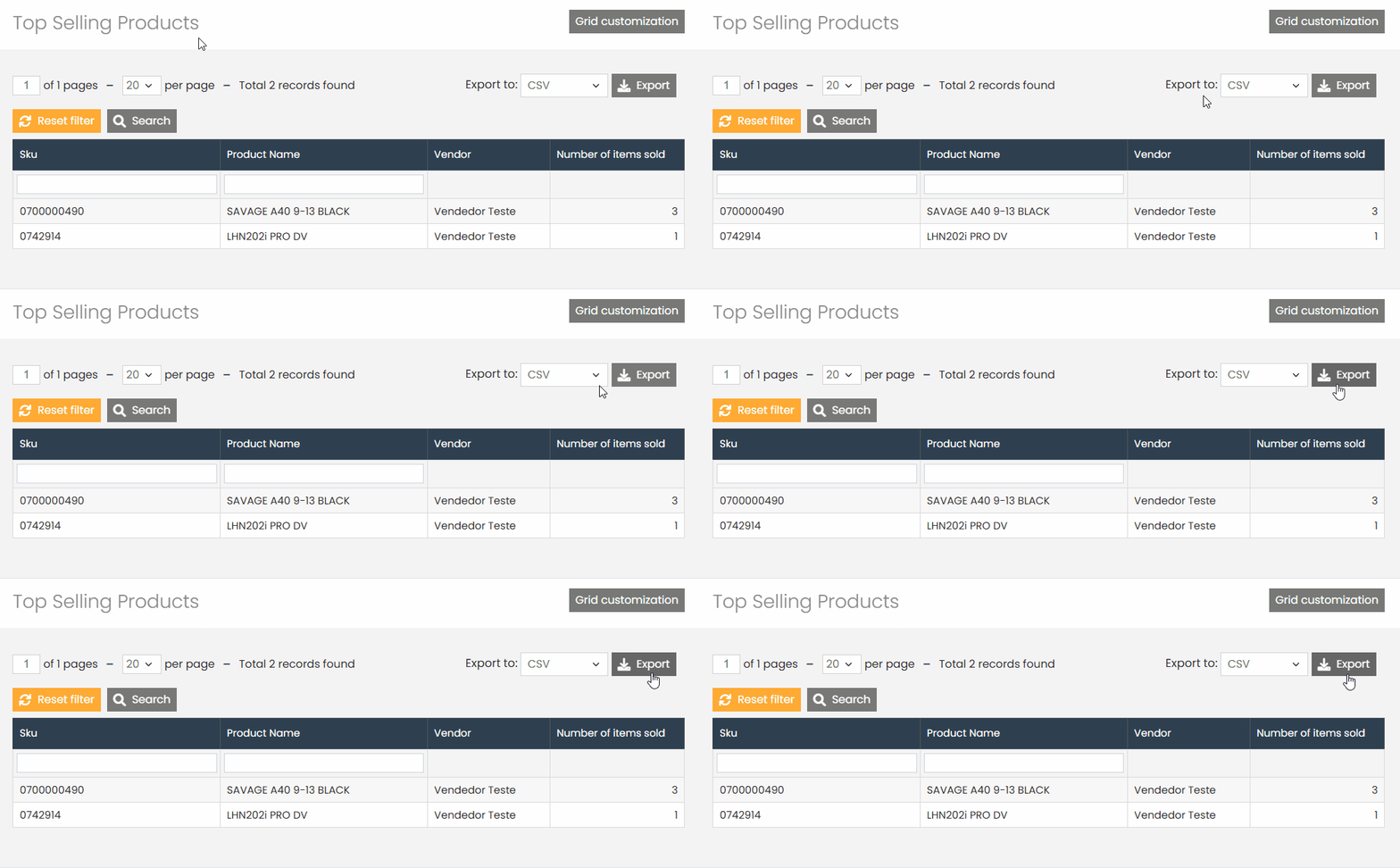
Wait for the page to load, and you will see a page containing 4 columns. The first column shows the product ID that was sold, the second column provides the name of the best-selling products. The third column indicates the seller/reseller associated with this product, i.e., who sold this product. The last column shows how many of this product were sold.
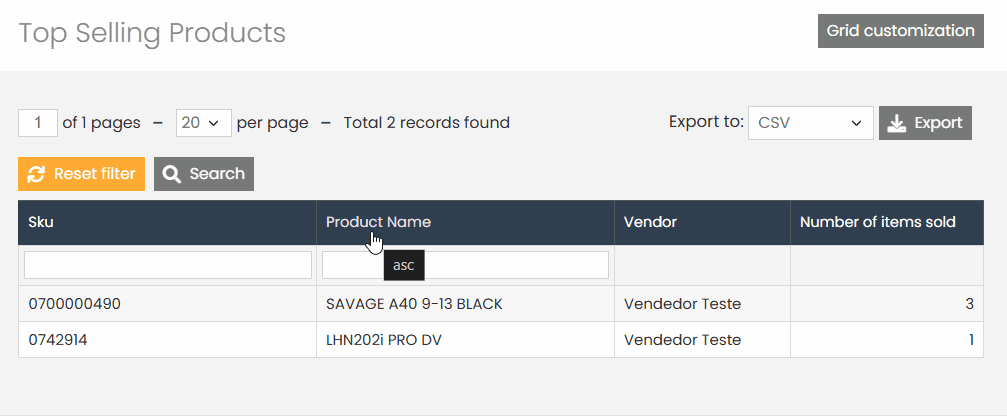
If you wish, you can download this information as a CSV spreadsheet. Simply click the ‘Export’ button to perform this action.
Before opening your spreadsheet, it is important to know how to open it correctly in CSV and UTF-8 format. Read our article ‘How to Properly Open Spreadsheets Using Excel’ so you can open your spreadsheet and view all the data correctly.
If you have any difficulties or questions, do not hesitate to contact our support team. We are always available to help!