
This new feature allows you to display a message showing the tax amount associated with a product.
Feature Description #
The feature was designed to visually display information about the taxes applied to a product. It’s important to note that these values are for informational purposes only and are already included in the final price shown to the customer.
Configuration Types: #
- Fixed Amount:
Displays a message with a specific value set in the system.
The value must already be included in the product’s configured price. - Percentage:
Calculates the tax amount based on a defined percentage.
The calculated value must also be embedded in the final price configured for the product.
System Configuration #
The feature can be enabled and configured in the admin panel:
Go to System > Configuration.
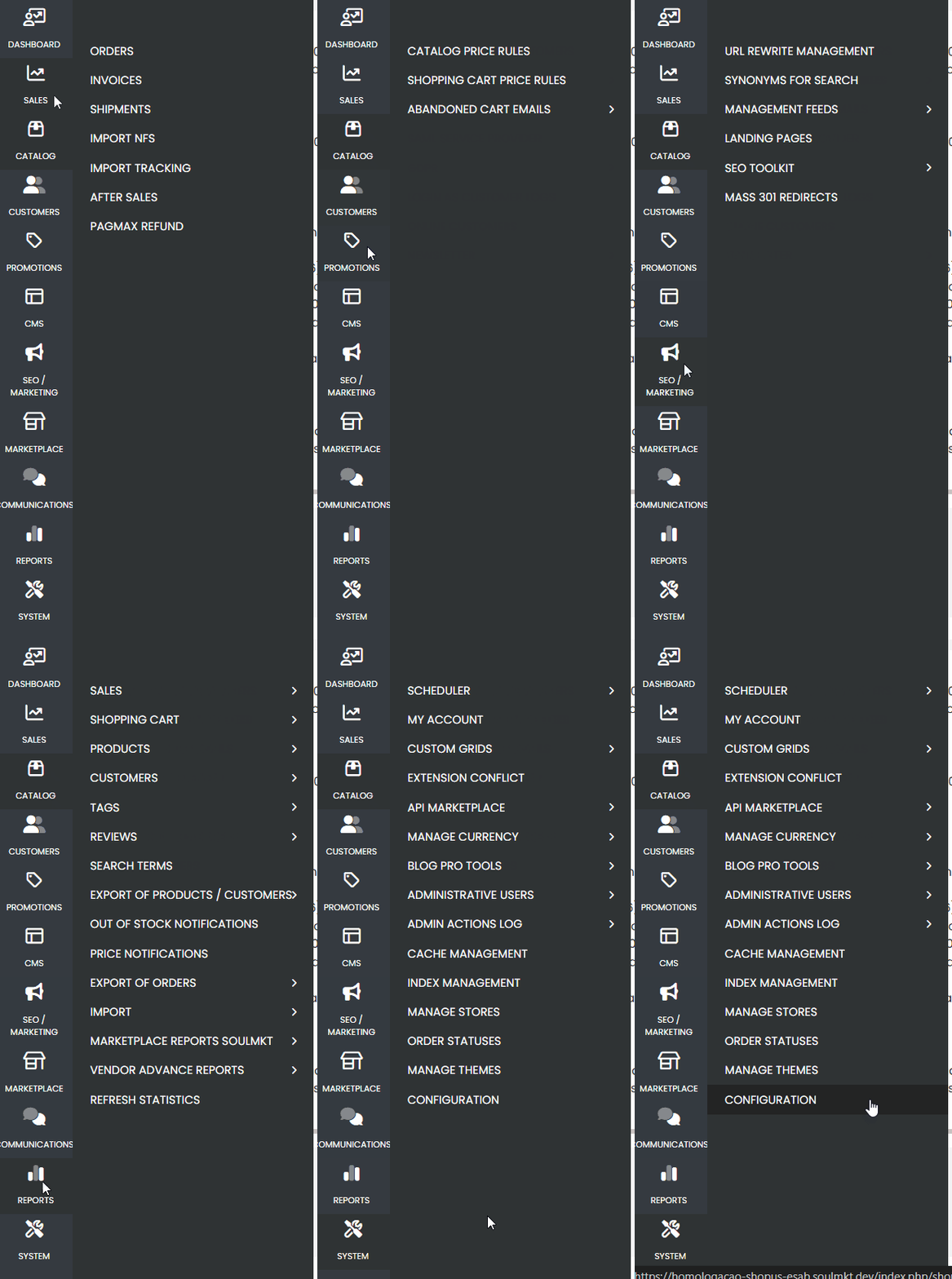
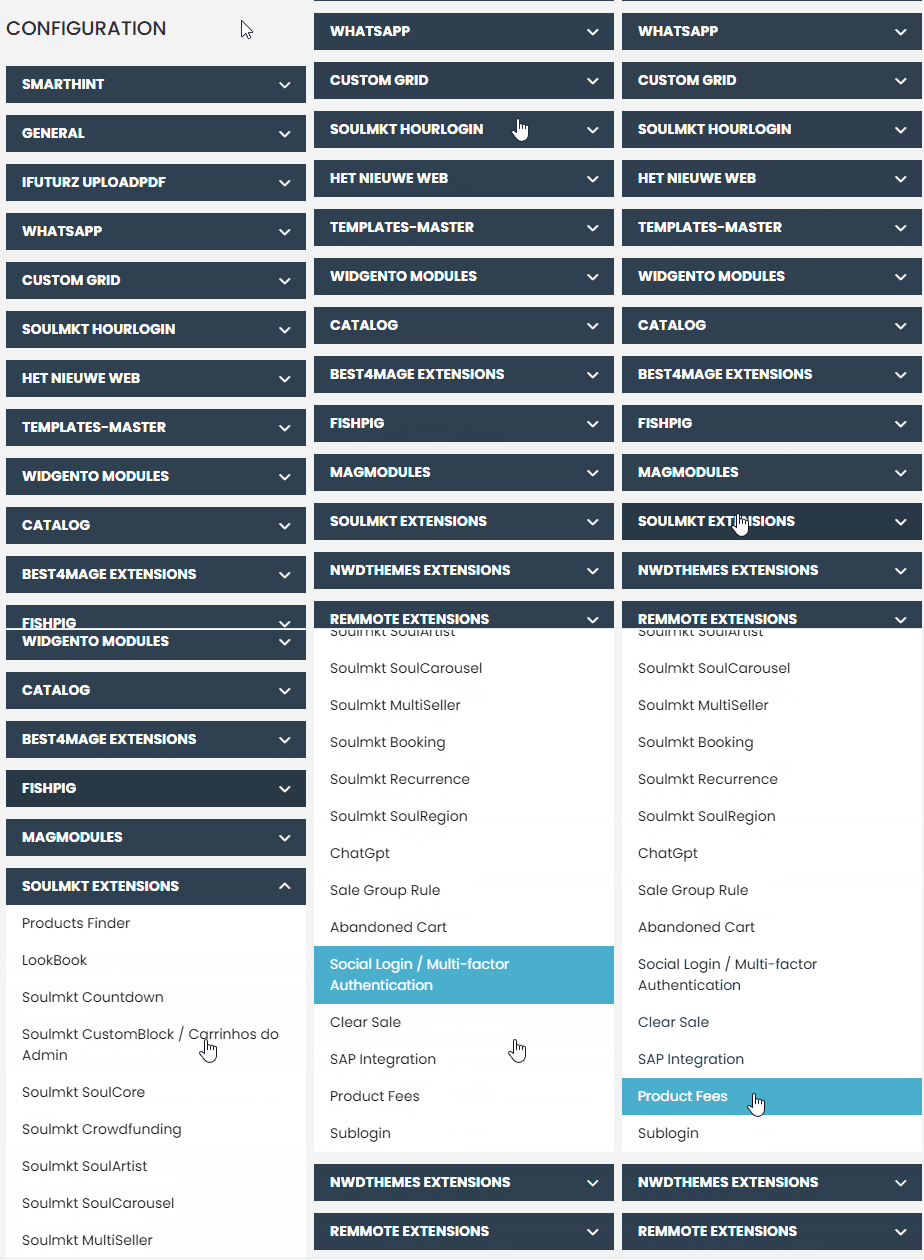
Look for Soulmkt Extensions and select Product Fees.
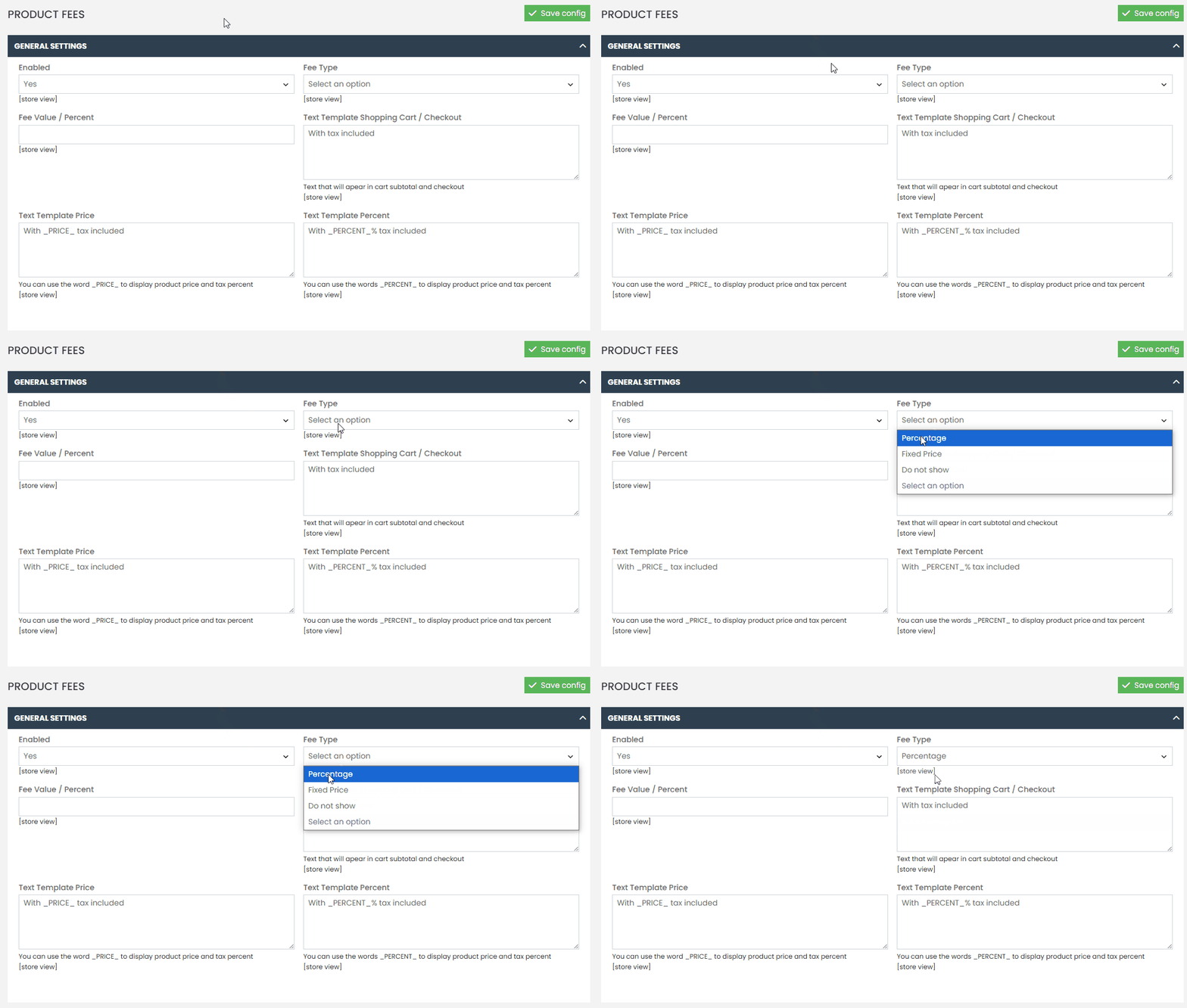
- Choose between Fixed Amount or Percentage.
- Set the corresponding value, considering the base currency configured in the store (e.g., reais, Argentine pesos, or dollars).
Display Templates #
The feature allows you to customize the messages shown in different areas of the site:
- Product Page: Message displayed on the product detail page.
- Overview (Grid): Message displayed in product listing views.
- Checkout: Message shown to the customer during the checkout process.
The messages can be configured in any language, meeting the local needs of the store.
Configuration Hierarchy #
Tax settings can be applied in two ways:
- Store View: Applies a general rule to all products.
- Individual Product Configuration: Settings made directly in the product details take priority over the general store view rules.
Front-End Display #
The configured values and messages will be shown in all areas where product prices are displayed, including:
- Product listings (grid)
- Product detail page
- Cart and checkout
Checkout Behavior #
At checkout, products with different tax rules can coexist (e.g., percentage for one product and fixed amount for another).
To simplify the display, a generic message is used indicating that taxes are included in the final price.
If you have any difficulties or questions, don’t hesitate to contact our support team. We’re always here to help!