
If you are a Marketplace administrator and want to change the visibility of your products, follow the instructions in the documentation below.
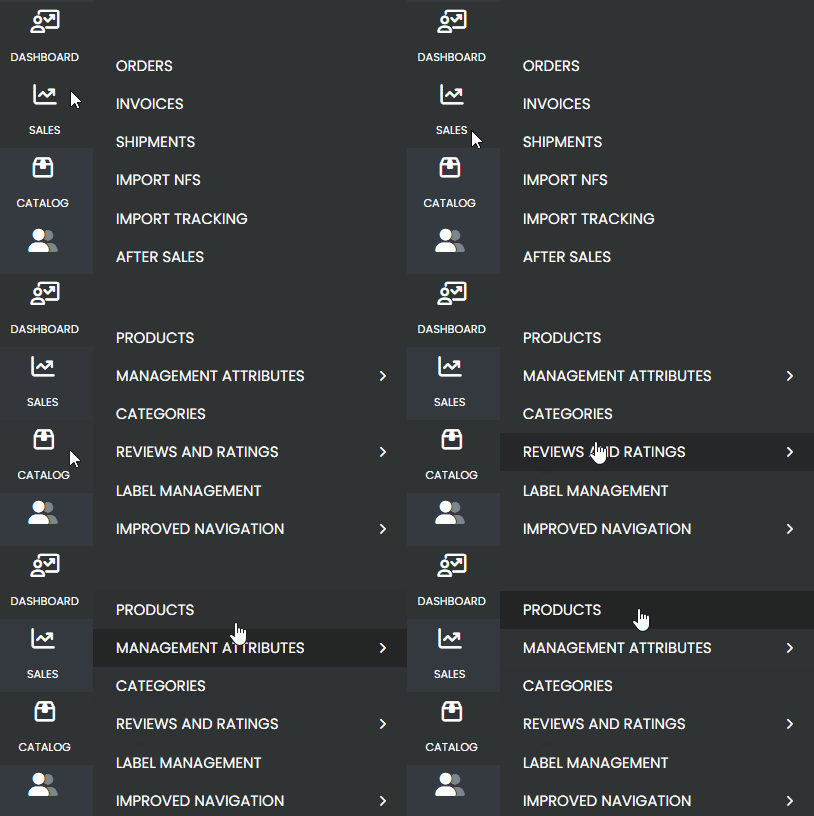
First, navigate through the side menu to the Catalog tab and select Products.
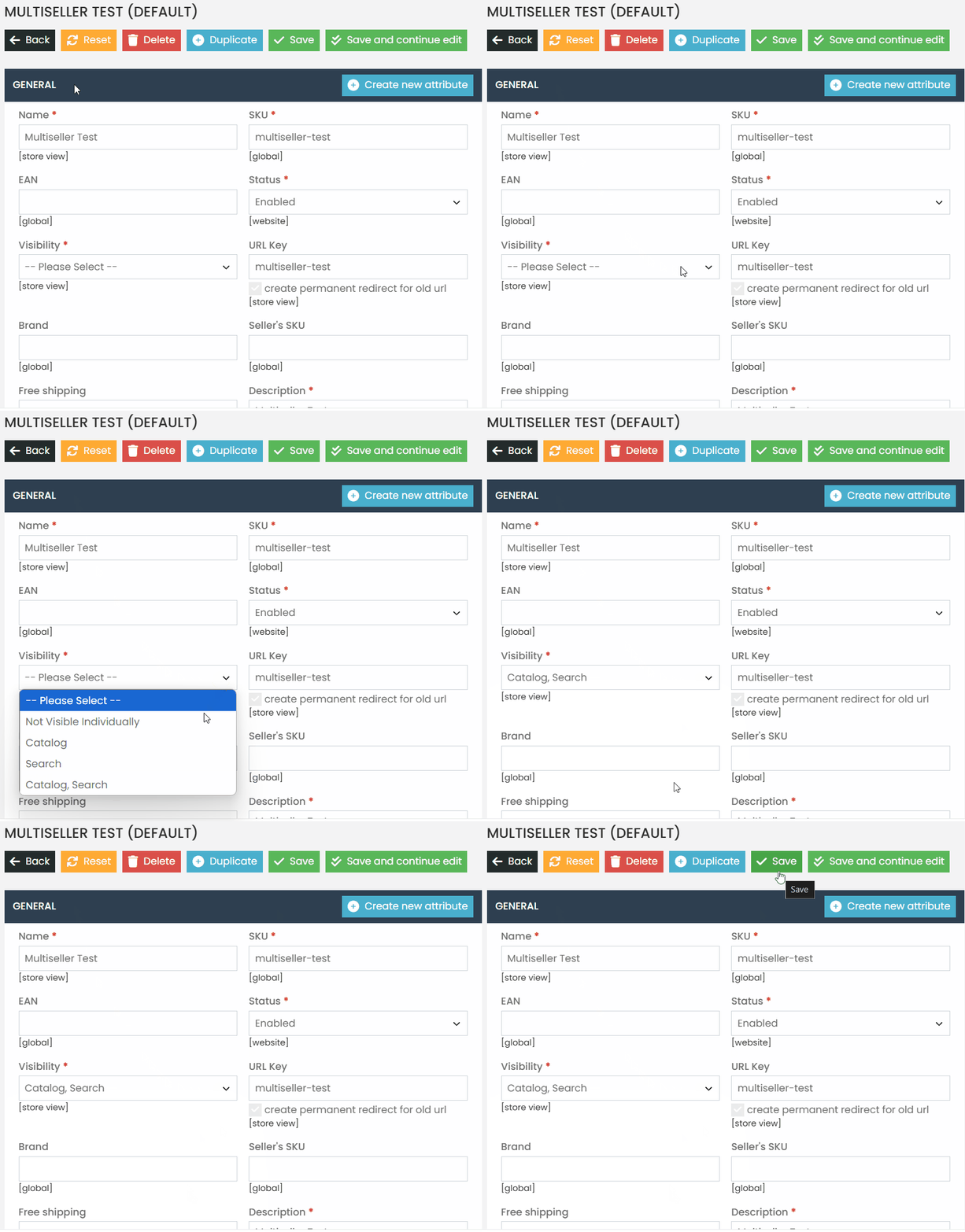
Catalog and Search: The product will be displayed on the product page, in search results, and in the corresponding categories.
Not Individually Visible: The product will not be displayed on the product page (resulting in a 404 error), will not appear in search results, and will not be listed in categories.
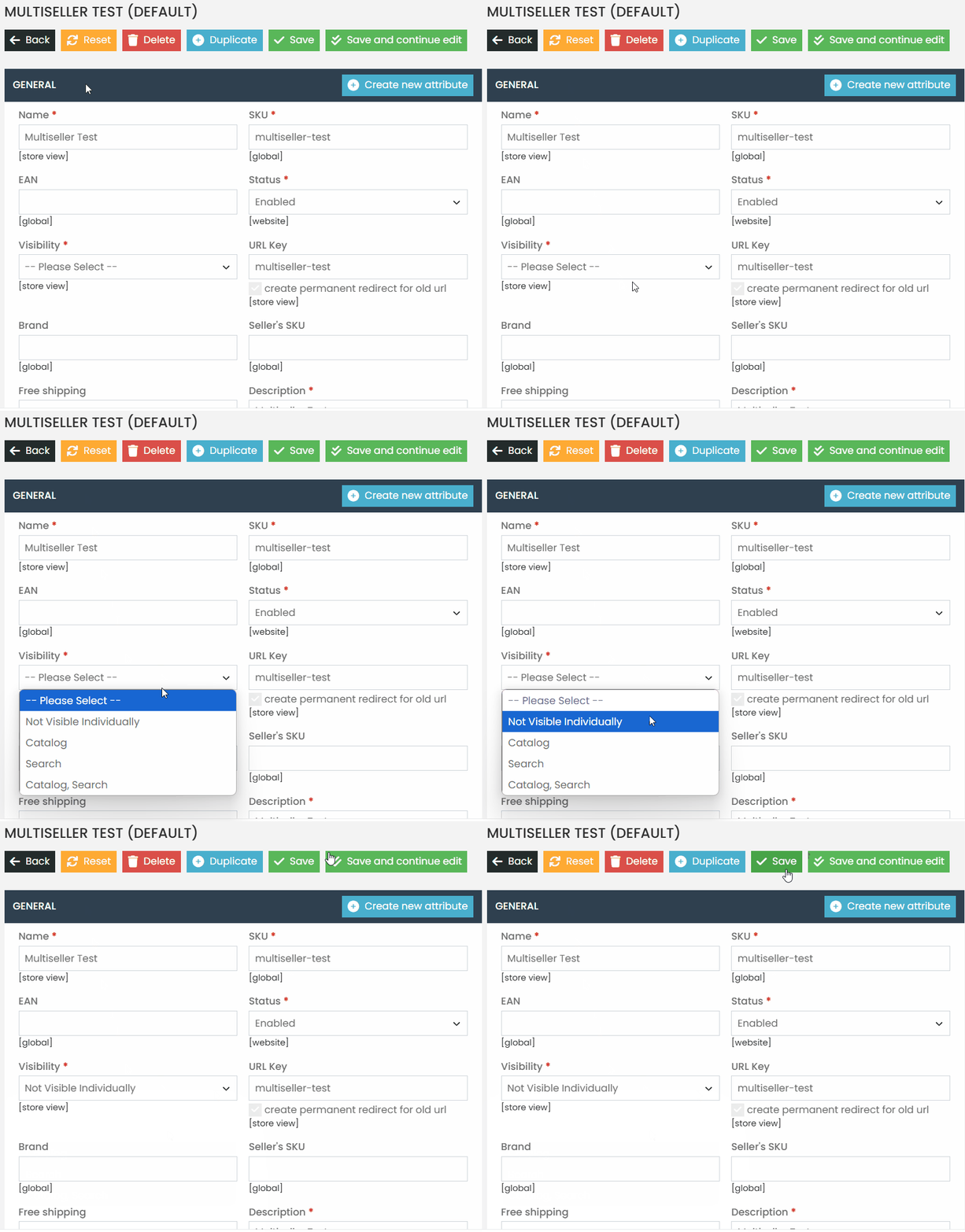
This setting is used to ensure that a simple product is part of a configurable product without appearing duplicated on the platform. It will only be displayed as an option within the configurable product.
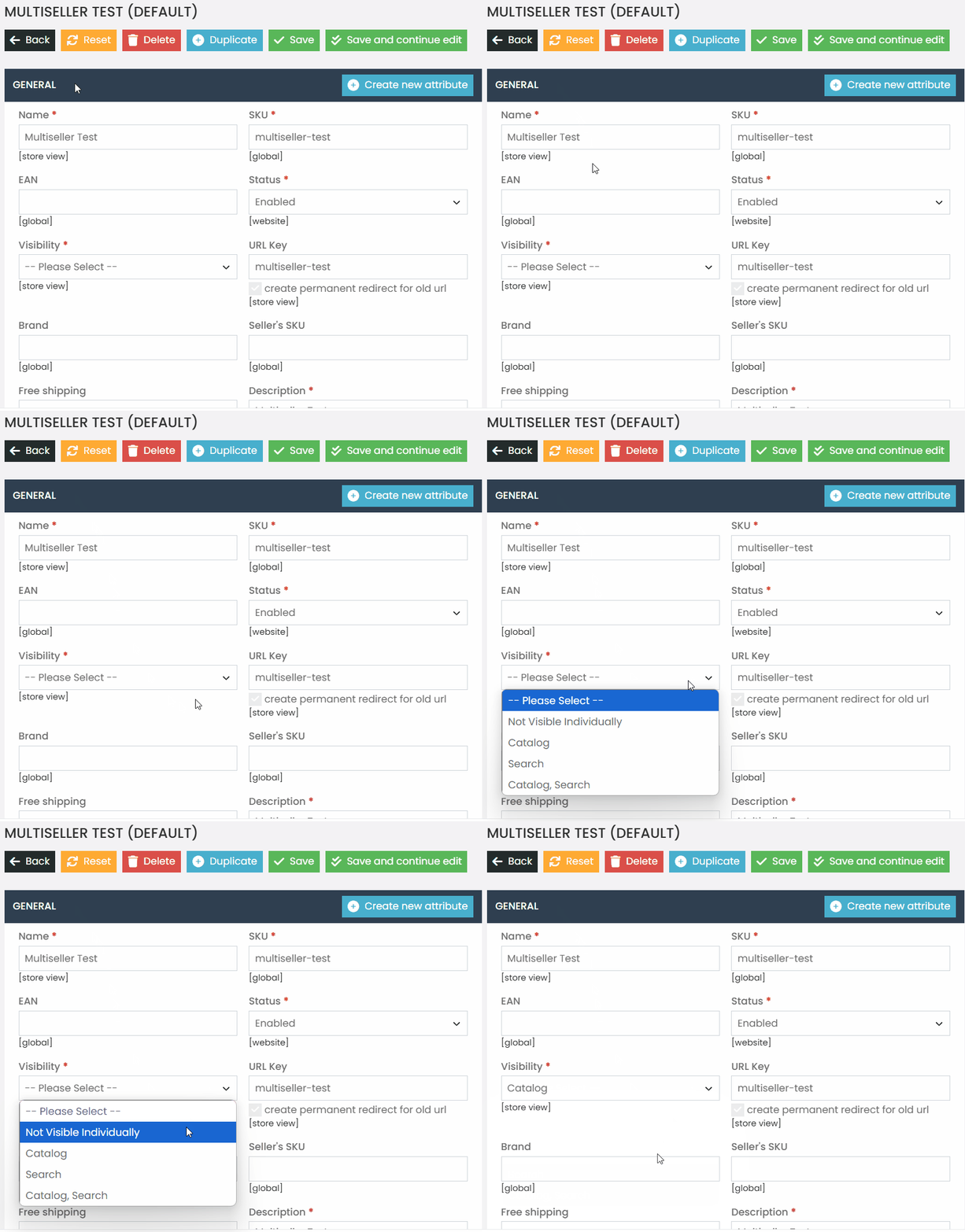
Catalog: The product will be displayed only in the corresponding category.
Search: The product will be displayed only in search results.
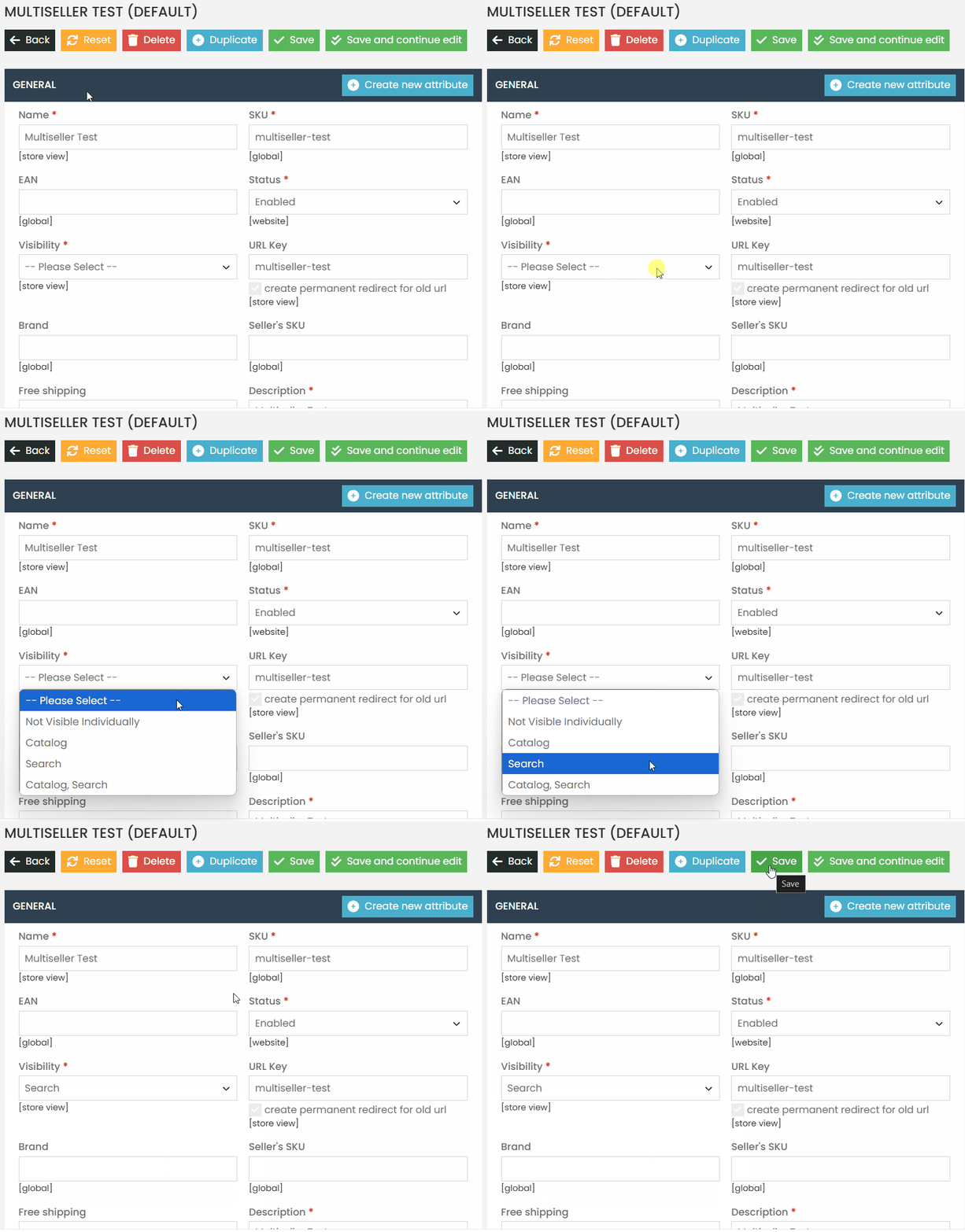
Done! With this step-by-step guide, you will be able to change the visibility of your products. If you have any difficulties or questions, don’t hesitate to contact our support team. We are always available to help!