
Activating or deactivating the store affects its visibility on the website and the seller’s URL.
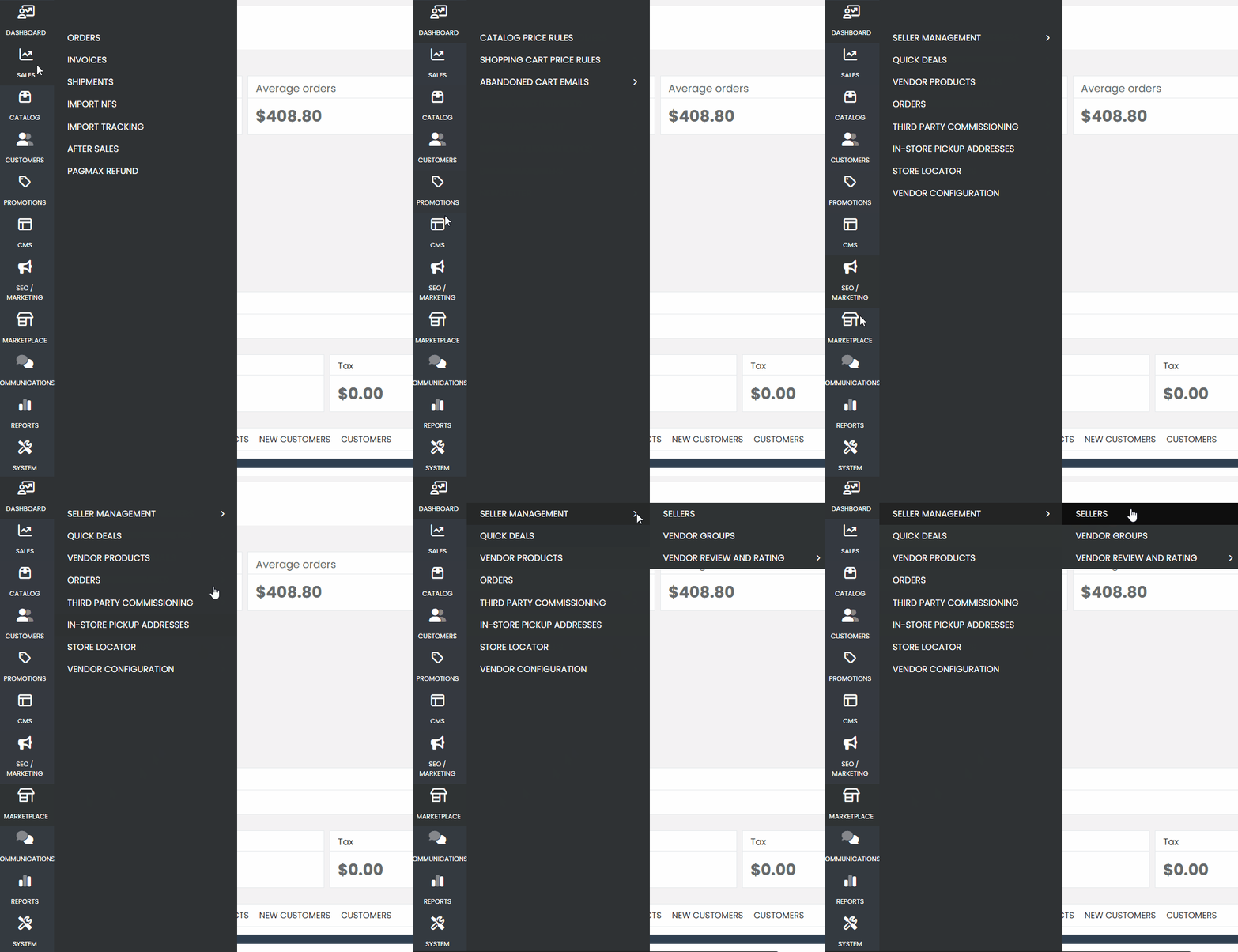
First, navigate through the sidebar menu to the “Marketplace” tab. Then, select “Seller Management” — a new submenu will appear. In this submenu, click on “Sellers”.
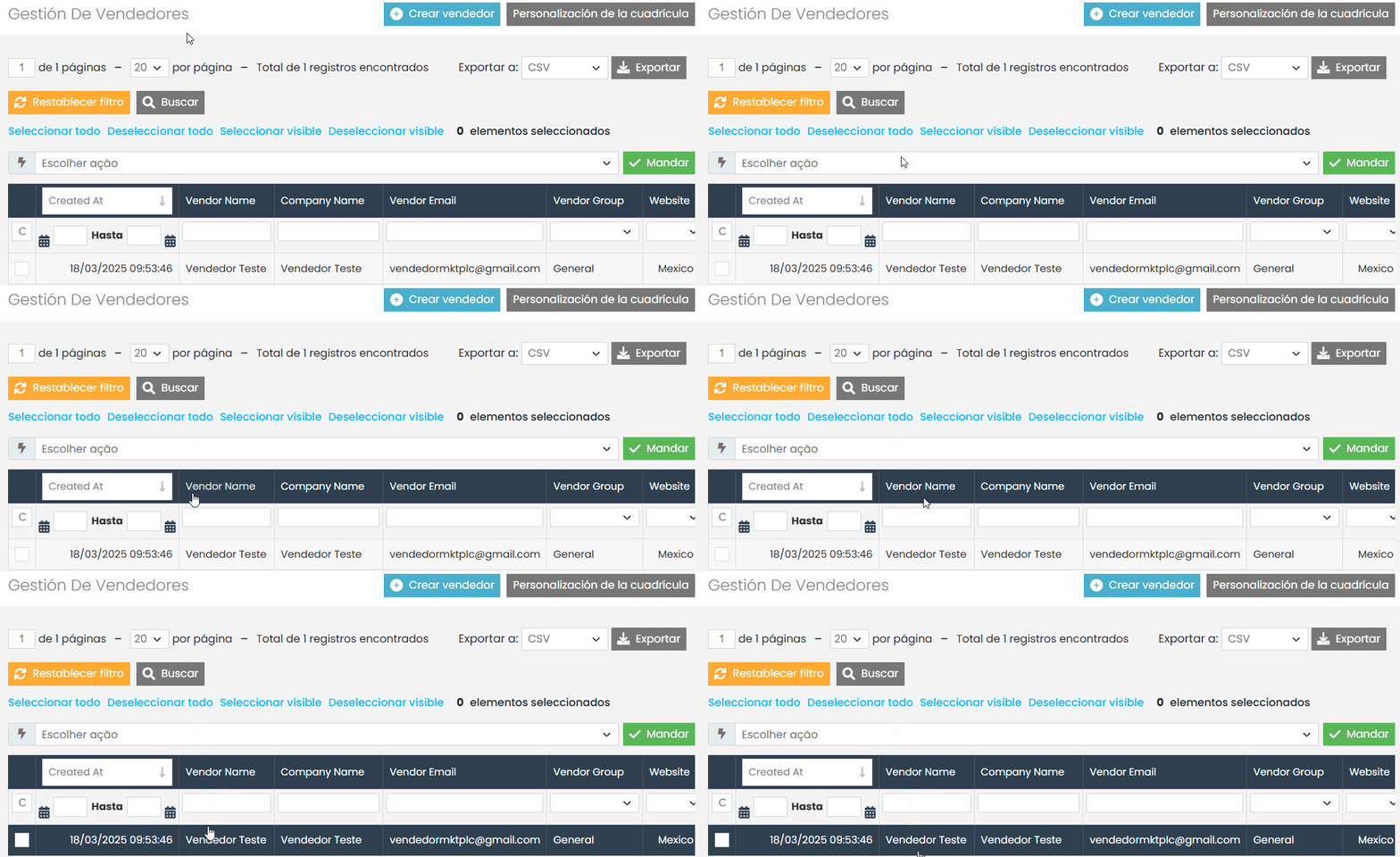
After the page loads, look for the seller whose store you want to deactivate.
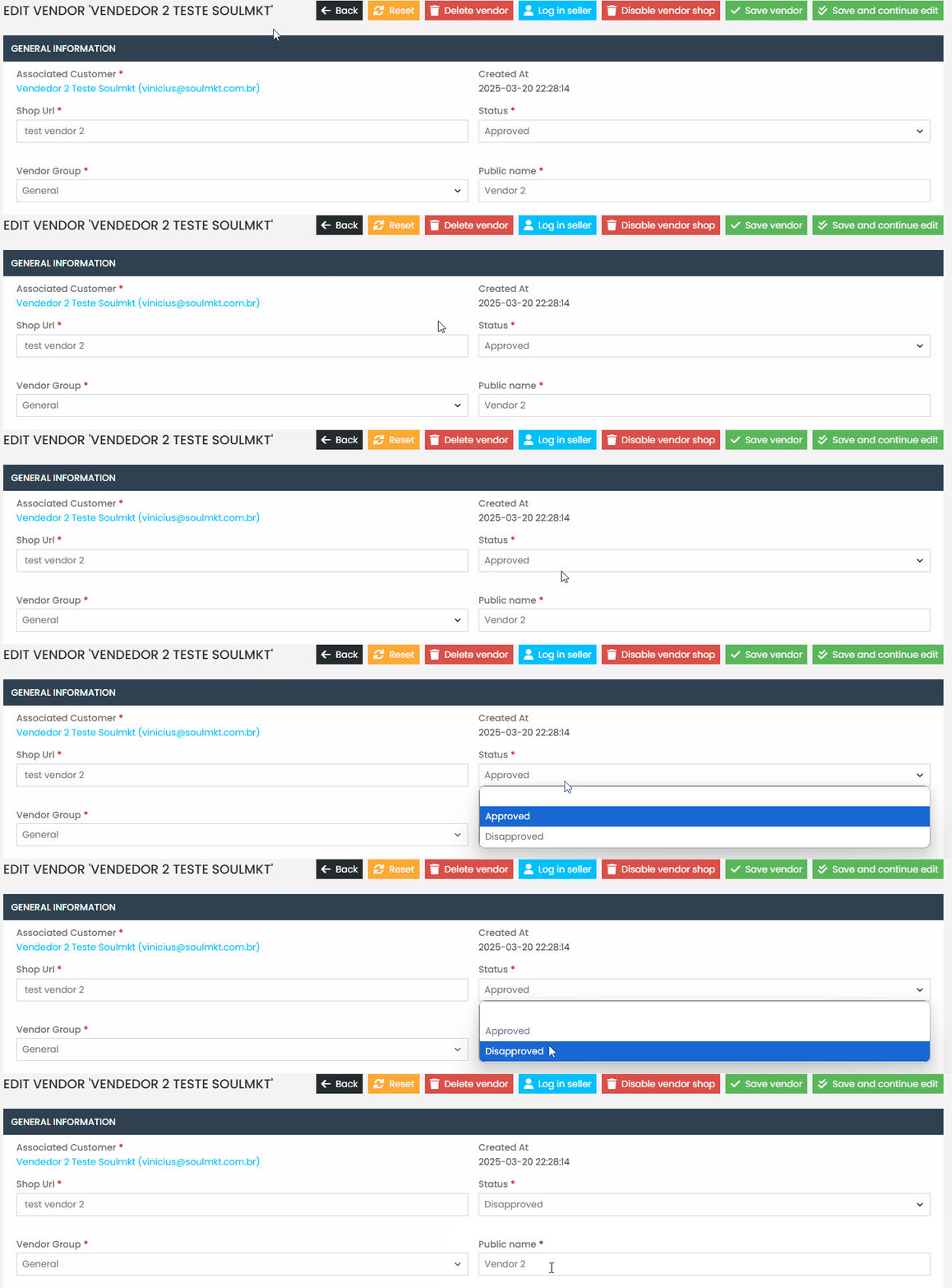
Disapproving a Seller: #
- In the seller’s status, select the “Disapproved” option.
- Click “Save and Continue.”
- To confirm, click “Login as Seller” to verify that access has been blocked.
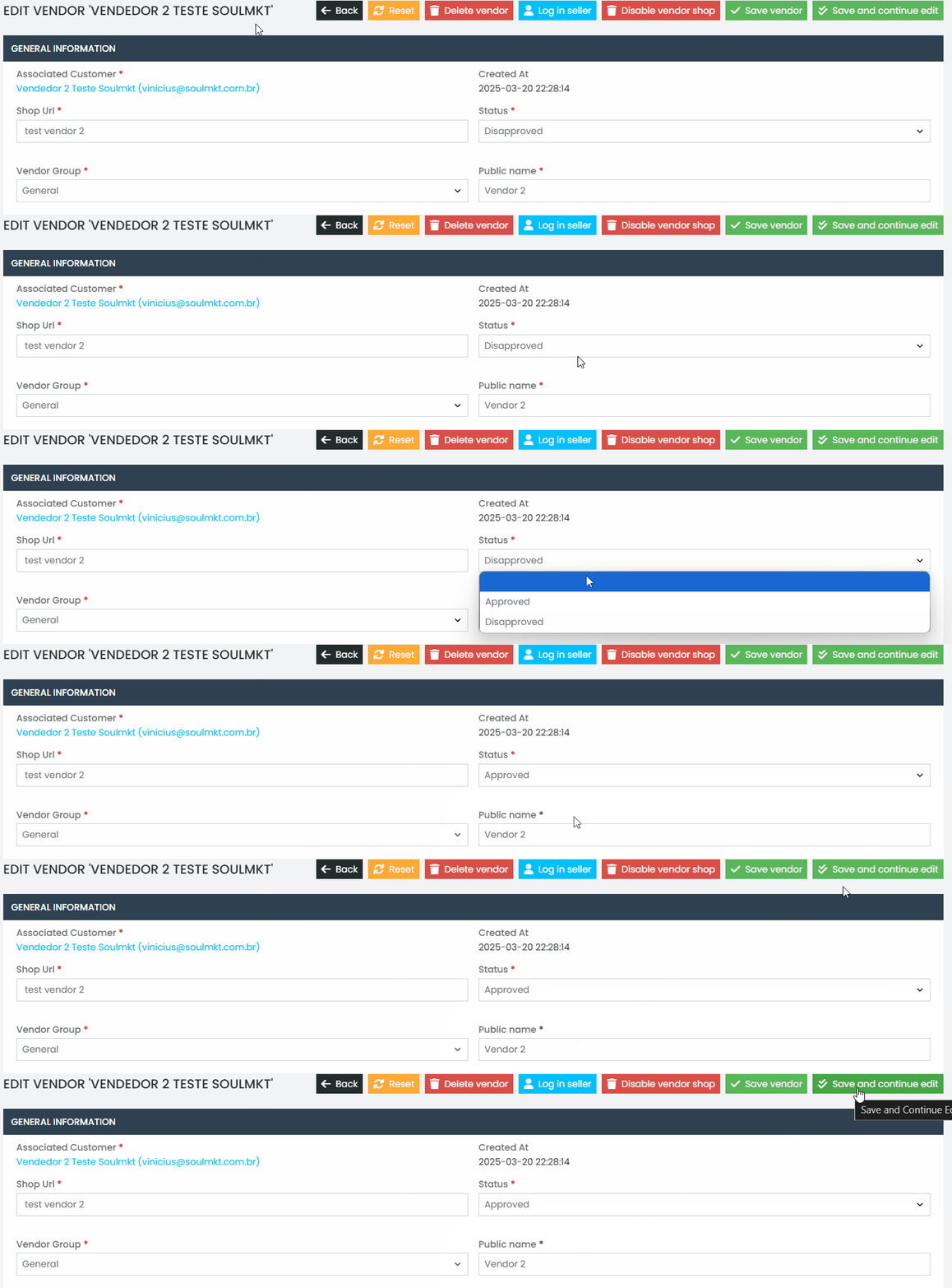
Approving a Seller: #
- Find the seller in the Disapproved list.
- Change the status to “Approved.”
- Click “Save and Continue.”
- Validate by clicking “Login as Seller” to ensure the seller can access their account.
If you have any questions, open a ticket in the support panel.