
This guide explains how to configure the option that determines whether customers can add products from different sellers to the same cart and complete the purchase in a single order.
Overview of the Functionality
This setting controls how the shopping cart behaves regarding the origin of the products:
- When enabled: the customer can add products from multiple sellers to the cart and complete the checkout normally.
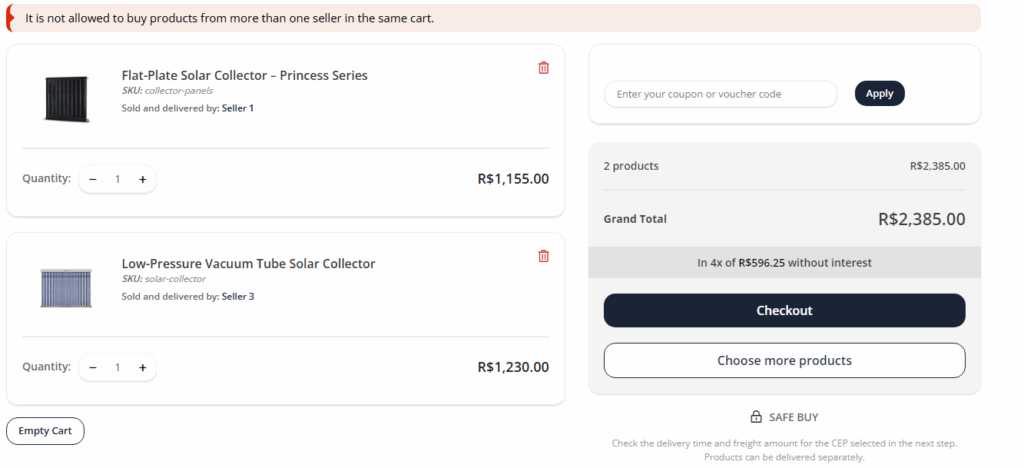
- When disabled: the cart will be limited to products from only one seller. If the customer tries to mix sellers, the system will display a warning and block the checkout.
Practical Example:
- The customer adds 1 product from Seller A and 1 product from Seller B:
- If enabled: both can be purchased in the same order.
- If disabled: the system will block the checkout and require separate orders.
How to Configure
Part 1: Accessing the Configuration Page
- Log in to your store’s Admin Panel.
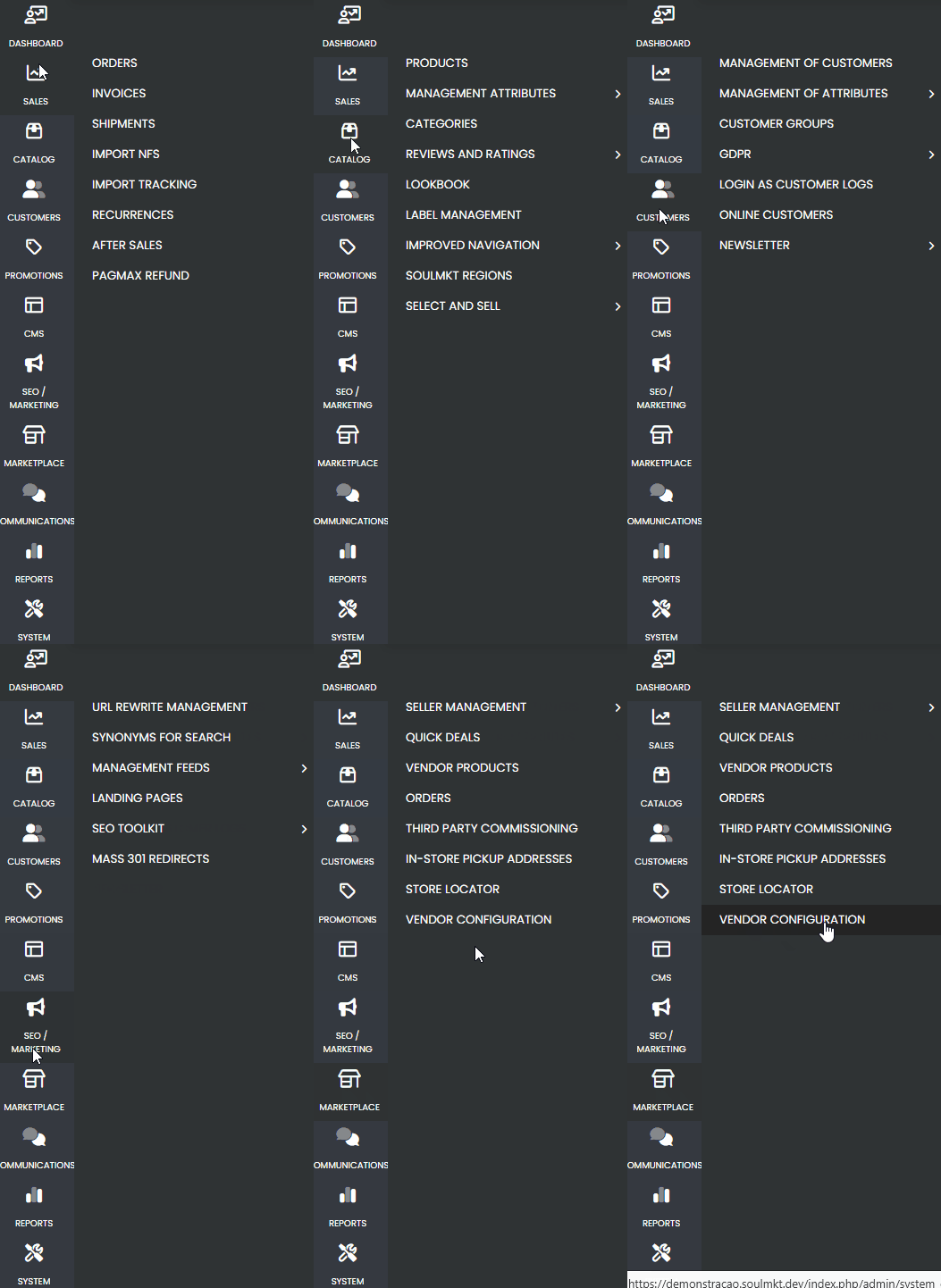
- In the side menu, hover over the Marketplace tab (no need to click).
- In the submenu that appears, click on Vendor Configuration.
Part 2: Locating and Editing the Setting
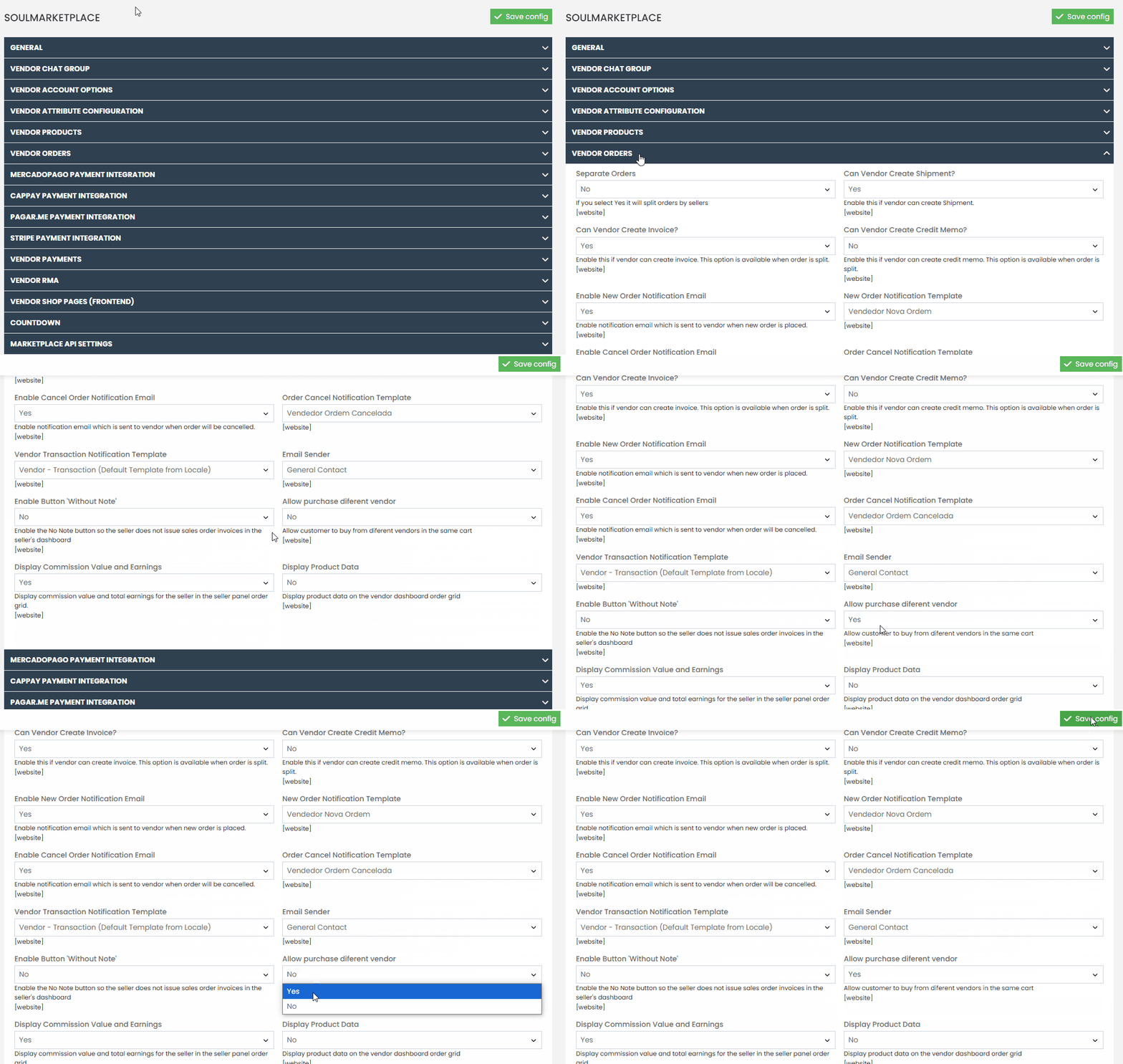
- On the opened page, locate the submenu called Seller Orders.
- Find the setting labeled “Allow purchase diferent seller”.
- Select:
- Yes to allow customers to buy products from multiple sellers in the same cart.
- No to restrict the cart to products from a single seller.
- Click Save Configuration to apply the changes.
If you have any questions or need assistance with this configuration, open a support ticket through the support panel.
Our team is available and ready to help!