
This documentation will help you access the panel of one of your sellers or resellers.
This is useful when you need to verify if any configuration is incorrect, check whether products have been properly selected or registered, validate free shipping settings, or review any other configuration related to a seller/reseller account.
Step-by-Step Guide #
Accessing the Seller List #
- In the submenu that appears, click on Seller Management and then select Sellers.
- Navigate through the side menu to the Marketplace section.

Locating the Seller/Reseller #
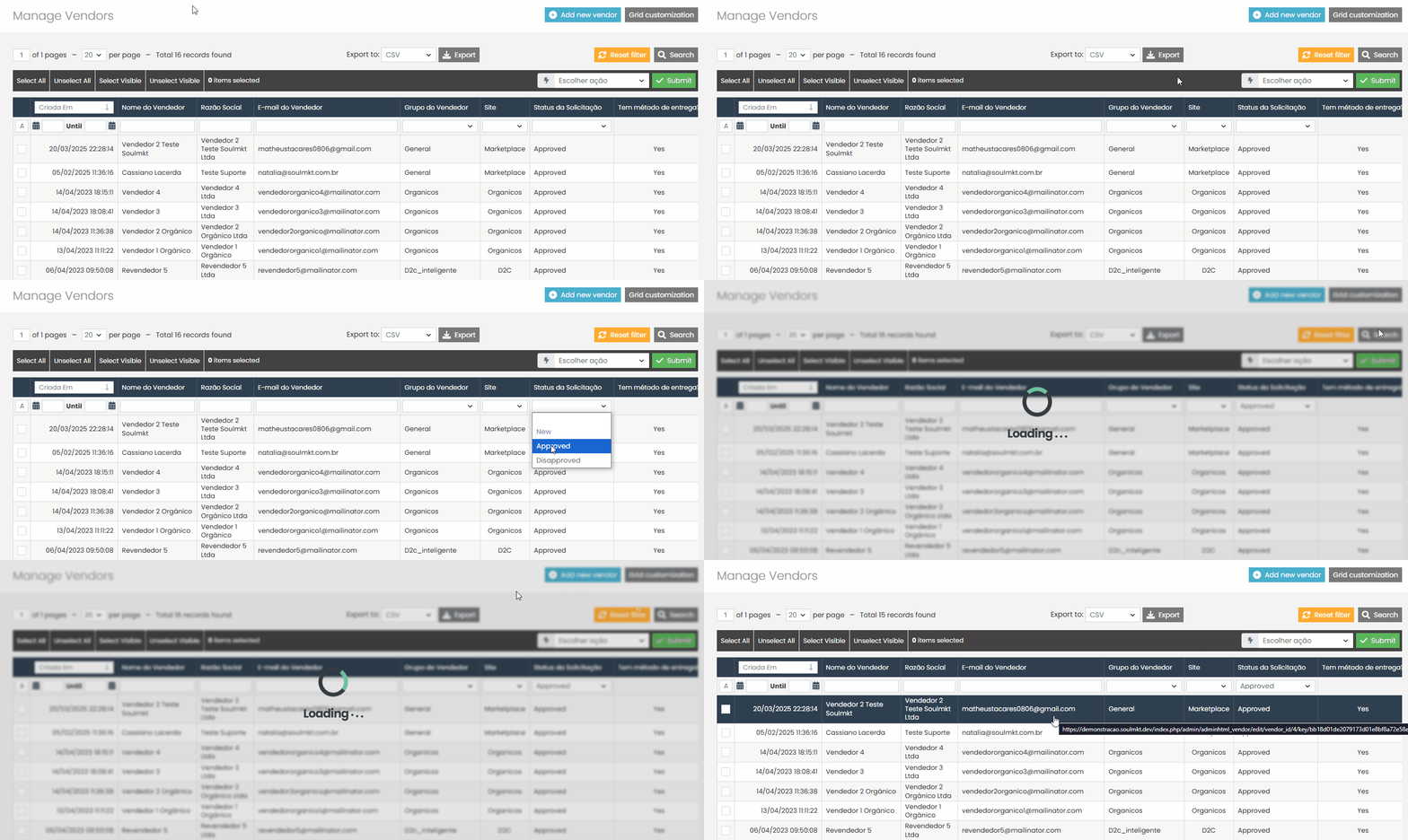
- Search by the seller/reseller name
- Wait for the page to load. You will see a list of all sellers and resellers registered under your marketplace.
- Use the available filters to help you find the specific seller/reseller you want to access:
- Filter by approved sellers/resellers
Accessing the Seller Panel #
- In the top menu, click the blue button labeled “Log in as Seller”.
- After locating the seller/reseller, click on their name to open their profile page.

Navigating Inside the Seller Panel #
- Payment preferences
- Wait for the seller’s panel to fully load.
- From here, you can navigate through the side menu to find the section or configuration you need to review, such as:
- Product listings
- Shipping setup
- Free shipping settings
- Store information
If you have any difficulties or questions, don’t hesitate to contact our support team. We’re always here to help!