
Accessing Form Management #

- In the platform’s side menu, go to the CMS section.
- Then, select the Form Management submenu and click on Forms.
Finding and Selecting a Form #
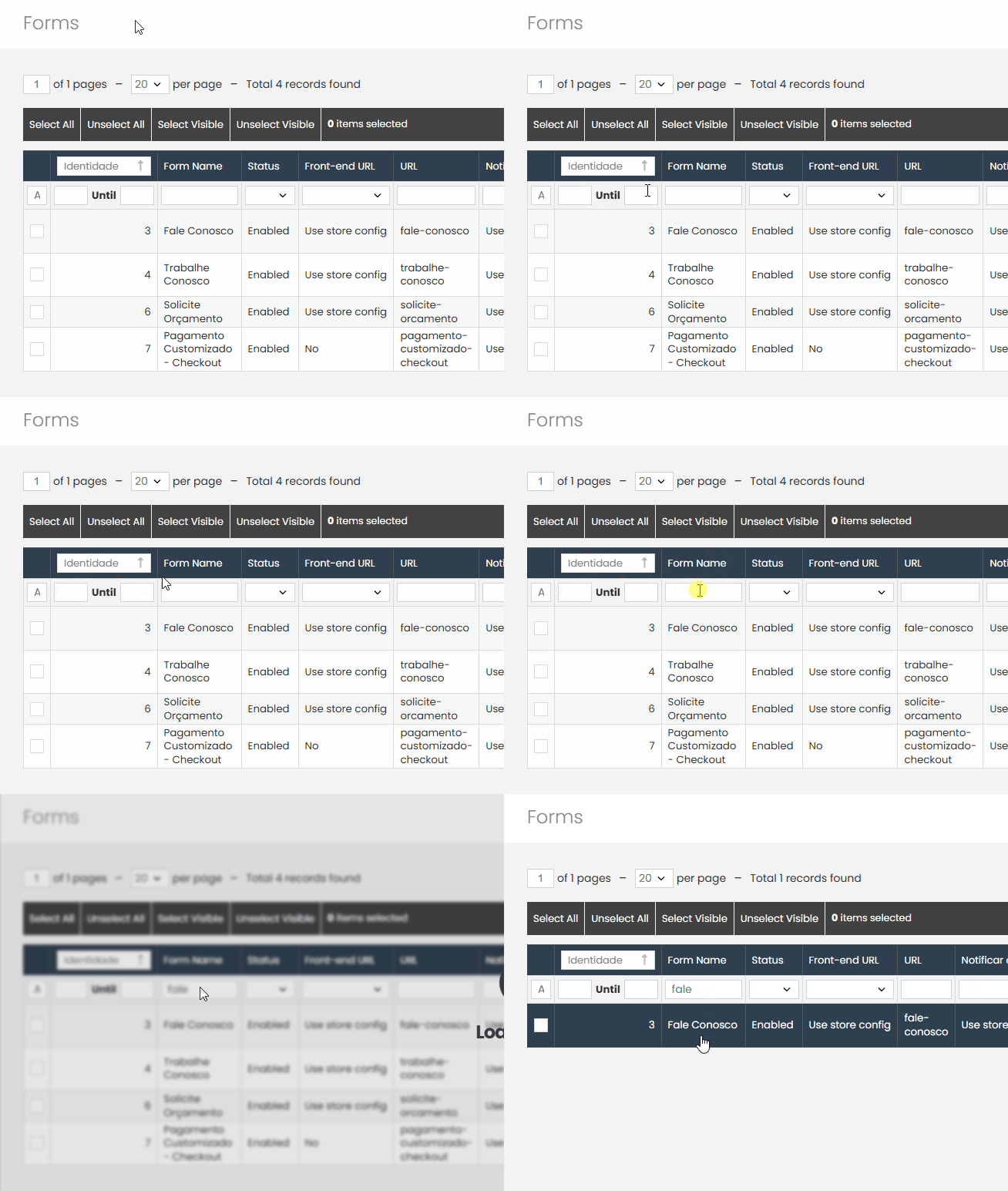
- On the forms page, locate the desired form by ID or name, using the search field.
- Once located, click on the form to select it.
Setting the Main Recipient #
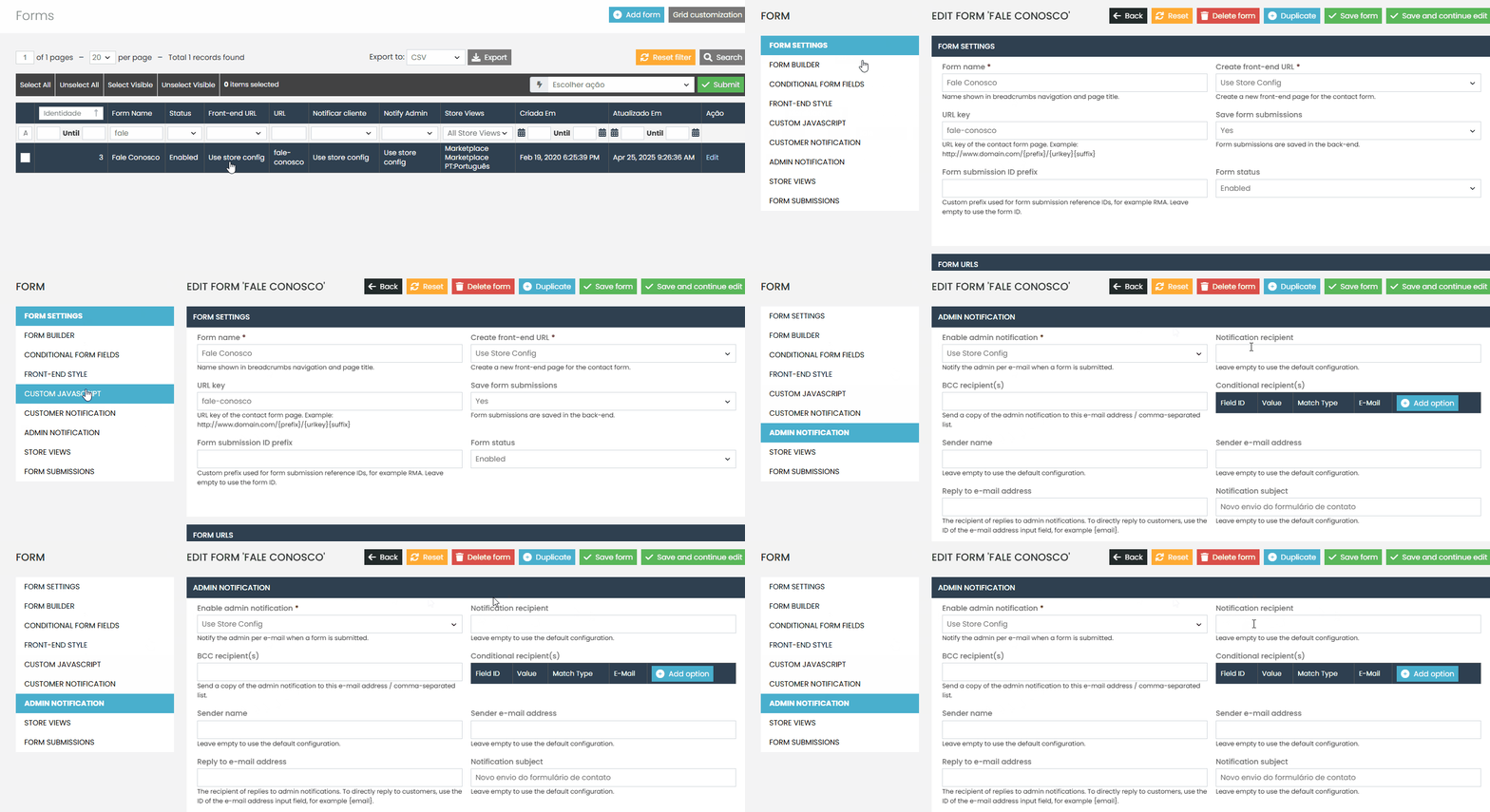
- Inside the form, find the Admin Notification section.
- In the Notification Recipient field, enter the email address that should receive the main notifications.
- This recipient will be automatically notified every time the form is submitted.
Adding CC Recipients #
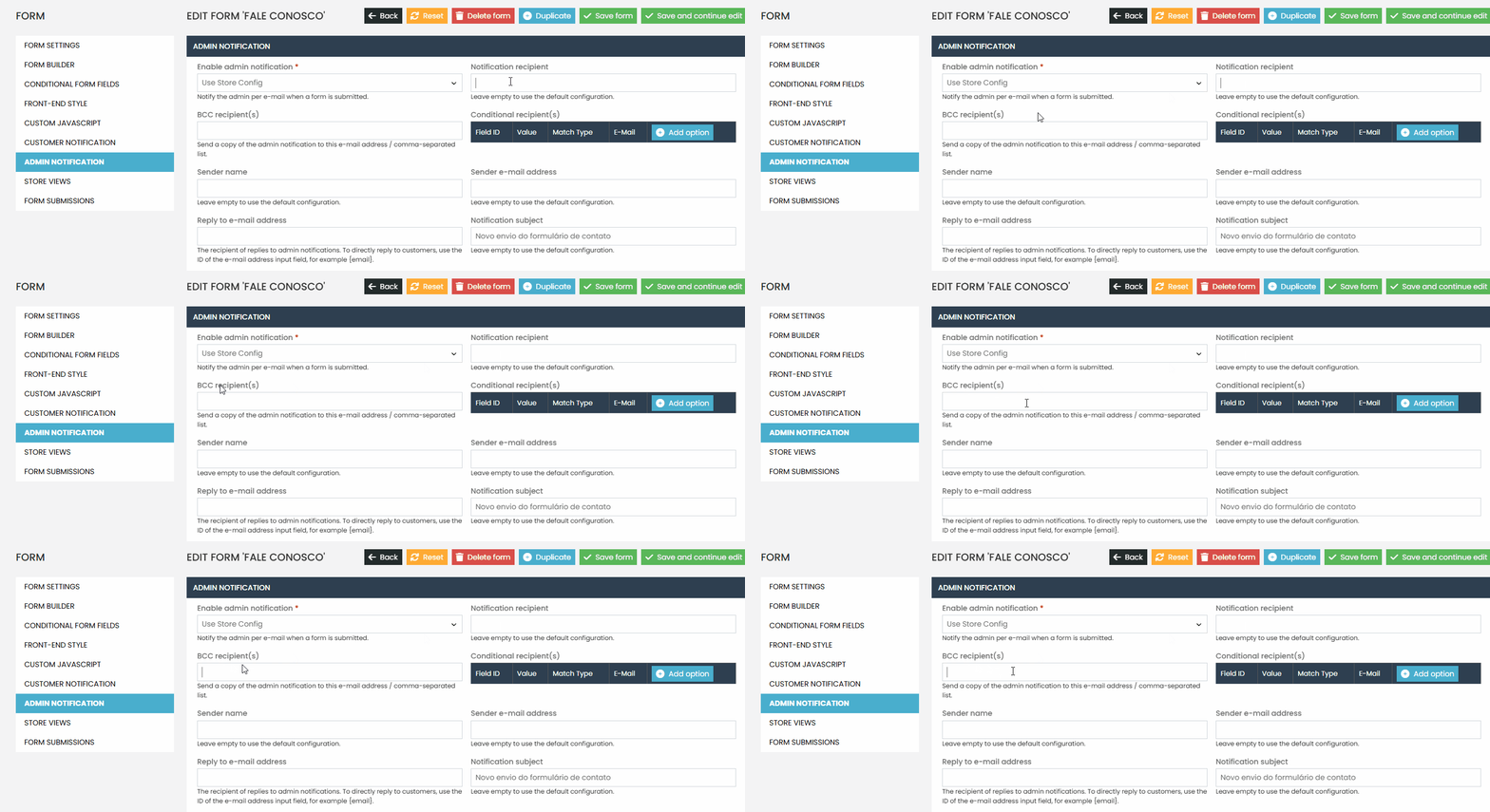
- In the BCC Recipients field, add any additional email addresses that should also receive a copy of the notification.
- This ensures that both the main recipient and the CC recipients are notified with each new submission.
If you have any questions or need assistance, feel free to contact our support team. We’re always here to help!