
A most viewed products report on a website is a summary that shows which products were most popular among visitors. It lists the most viewed or clicked items, helping to understand user interest and guide sales and marketing strategies. It includes information such as product ID, product name, and the number of views.
To access this report, please go to your admin panel.
After accessing the admin panel, navigate to the side menu and click on ‘Reports.’ Then, select ‘Marketplace Soulmkt Reports’ and choose ‘Products.’ Finally, click on ‘Most Viewed Products.’
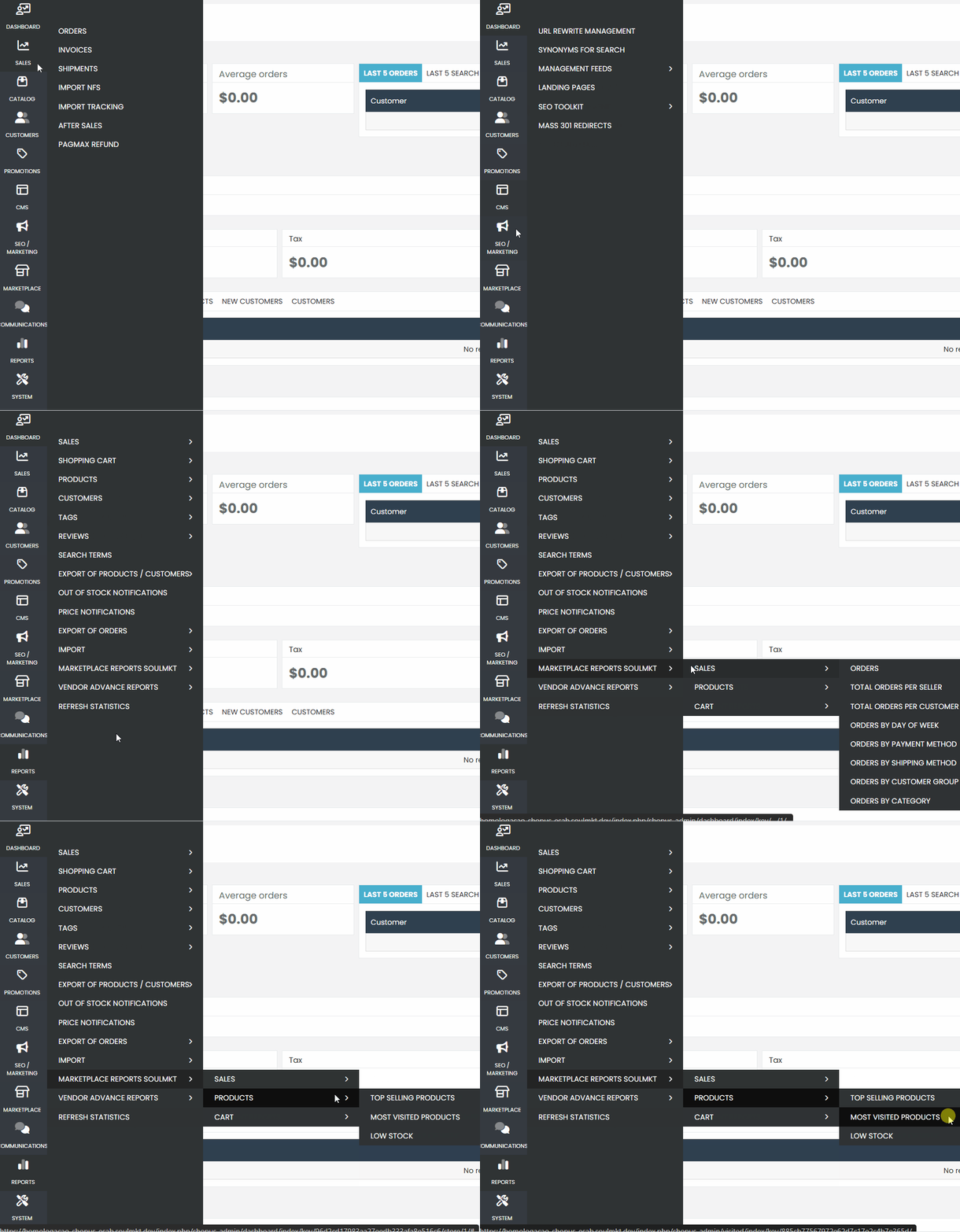
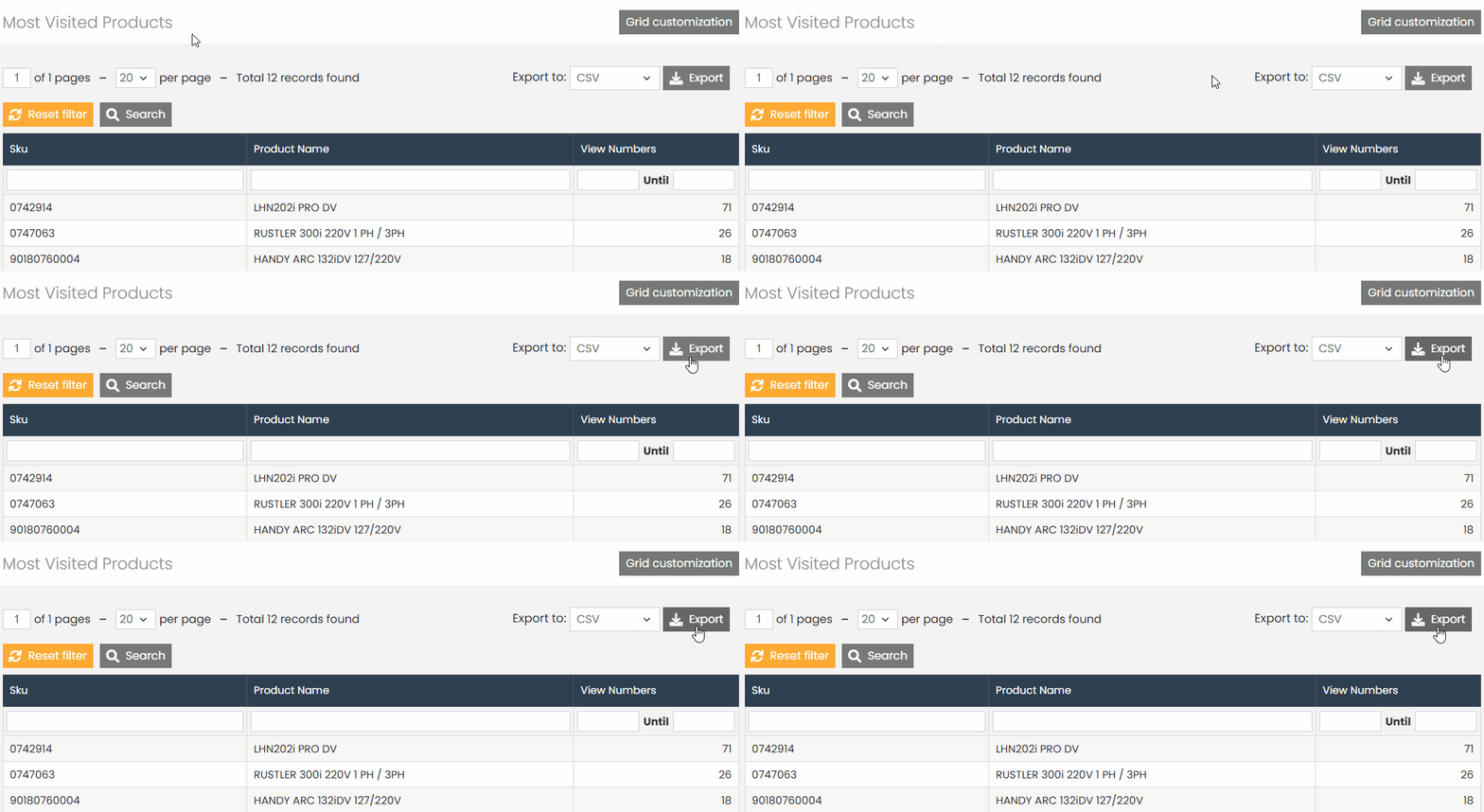
On the page, you will be able to view the product ID and name, along with the number of times it has been viewed on the site.
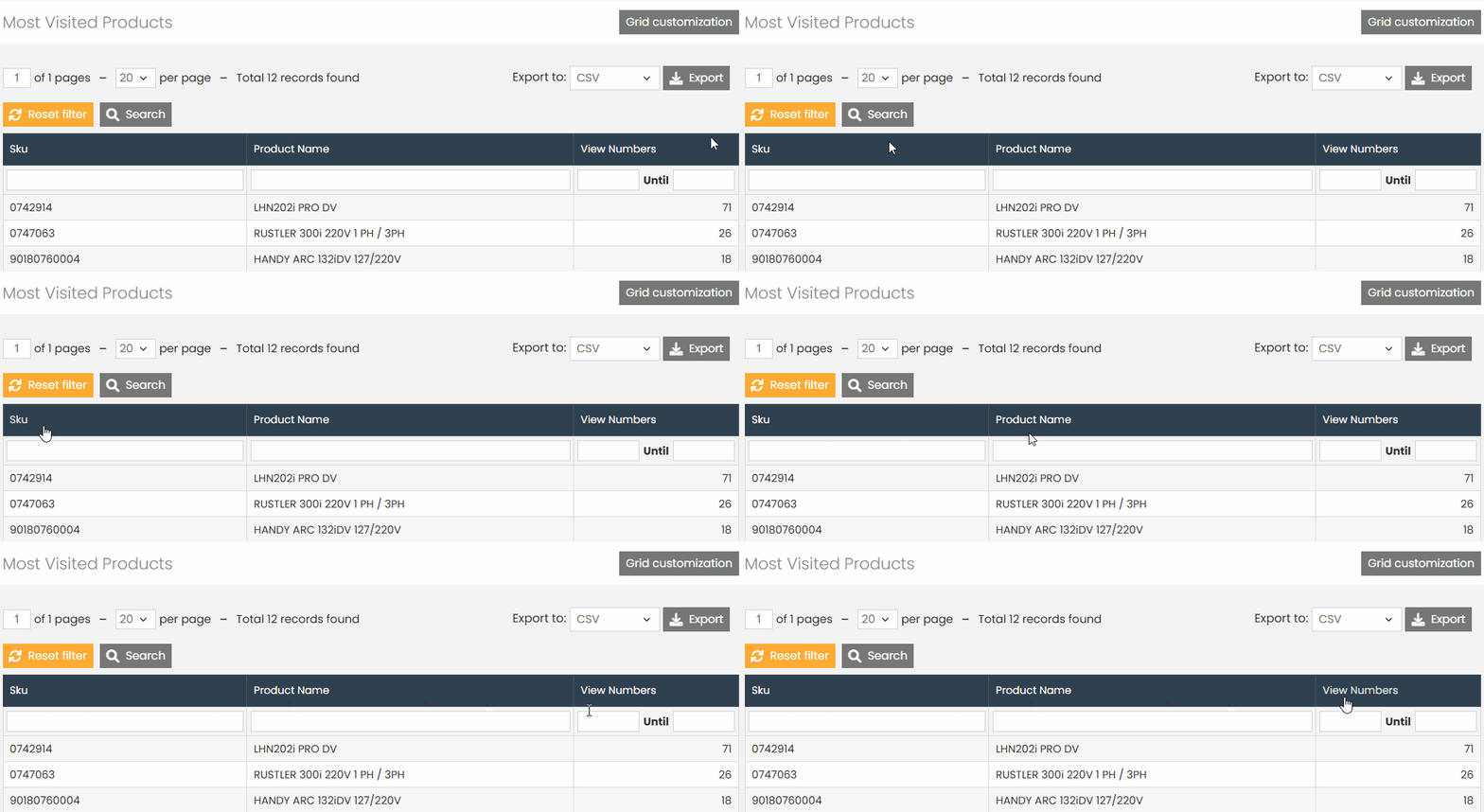
If you wish, you can download this information as a CSV spreadsheet. Simply click the ‘Export‘ button to perform this action.
Before opening your spreadsheet, it is important to know how to open it correctly in CSV and UTF-8 format. Read our article ‘How to Properly Open Spreadsheets Using Excel‘ so you can open your spreadsheet and view all the data correctly.
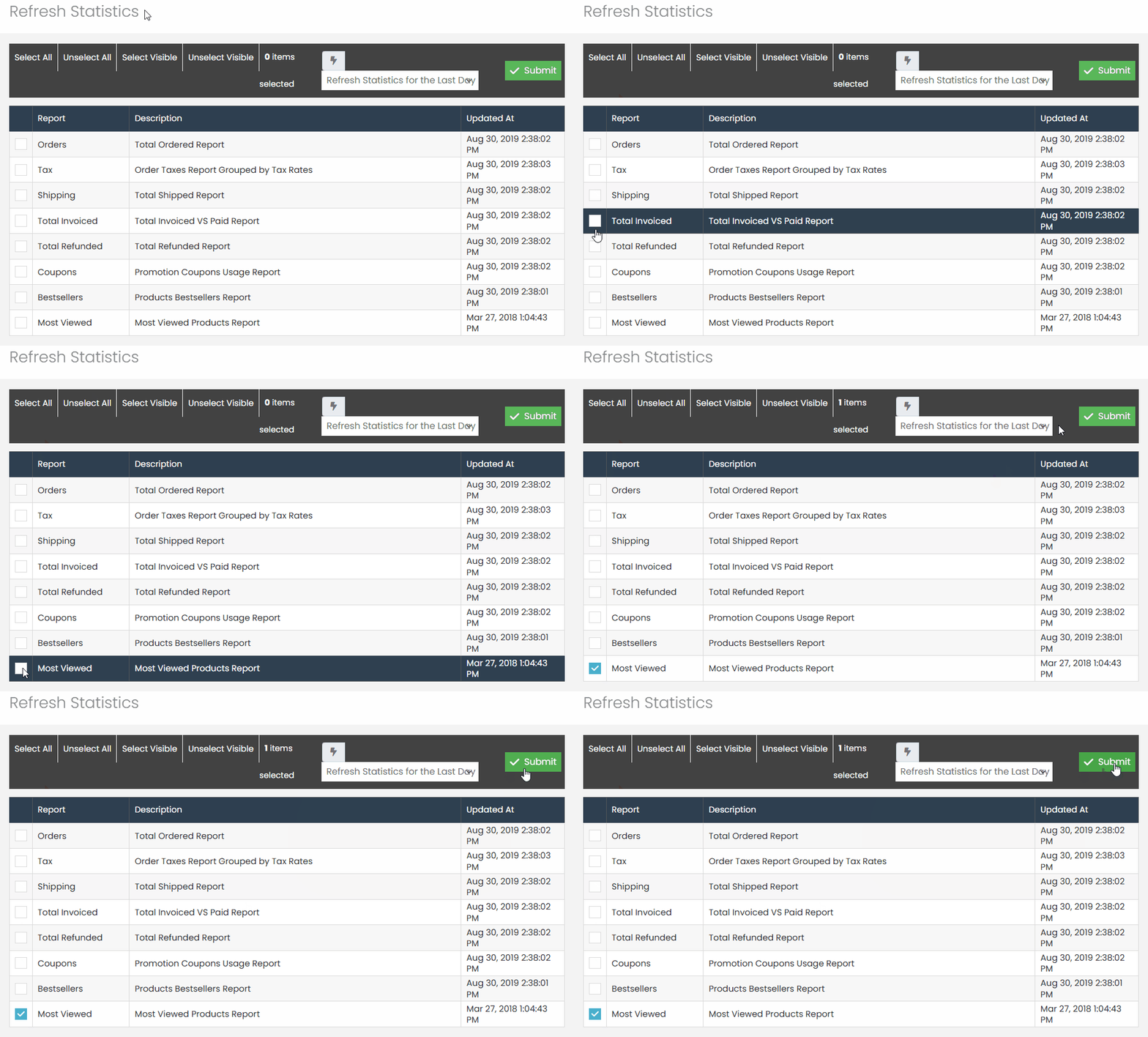
The update of this information occurs daily at 00:00. However, if you wish to force an update, go to the side menu and click on ‘Reports,’ then select ‘Update Statistics.
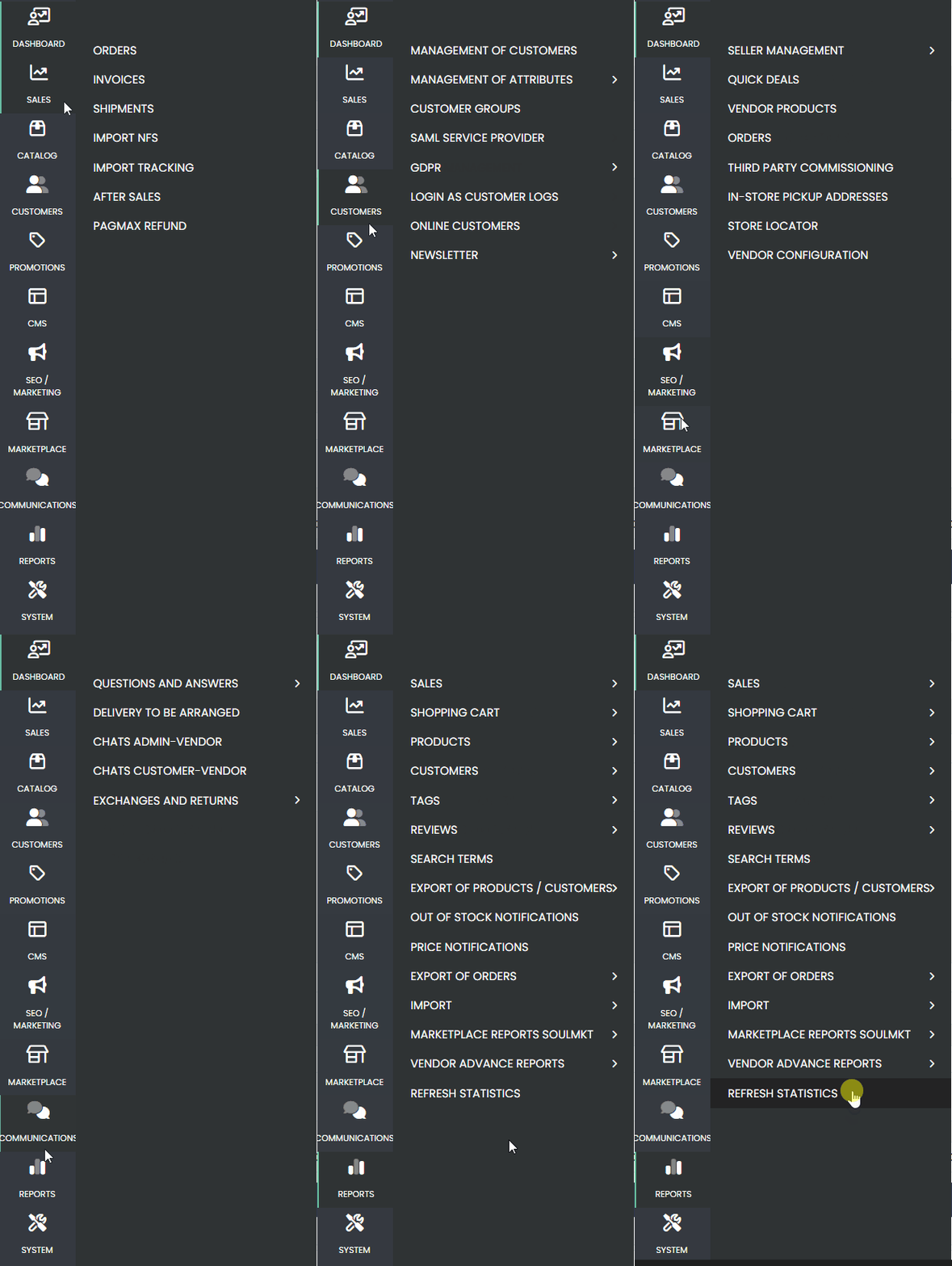
On the statistics update page, check the ‘Most Viewed‘ report, select the option ‘Update Statistics for the Last Day,’ and then click ‘Submit.
If you have any difficulties or questions, do not hesitate to contact our support team. We are always available to help!