
How to Create a Default Attribute on the Platform
In this documentation, we will demonstrate how to create a default attribute on the platform.
This attribute will be used to fill in product information and will be configured to appear on the website view, allowing customers to identify the related characteristics.
- Access Attribute Management
In the sidebar menu, navigate to the Catalog tab > Attribute Management > Attribute.
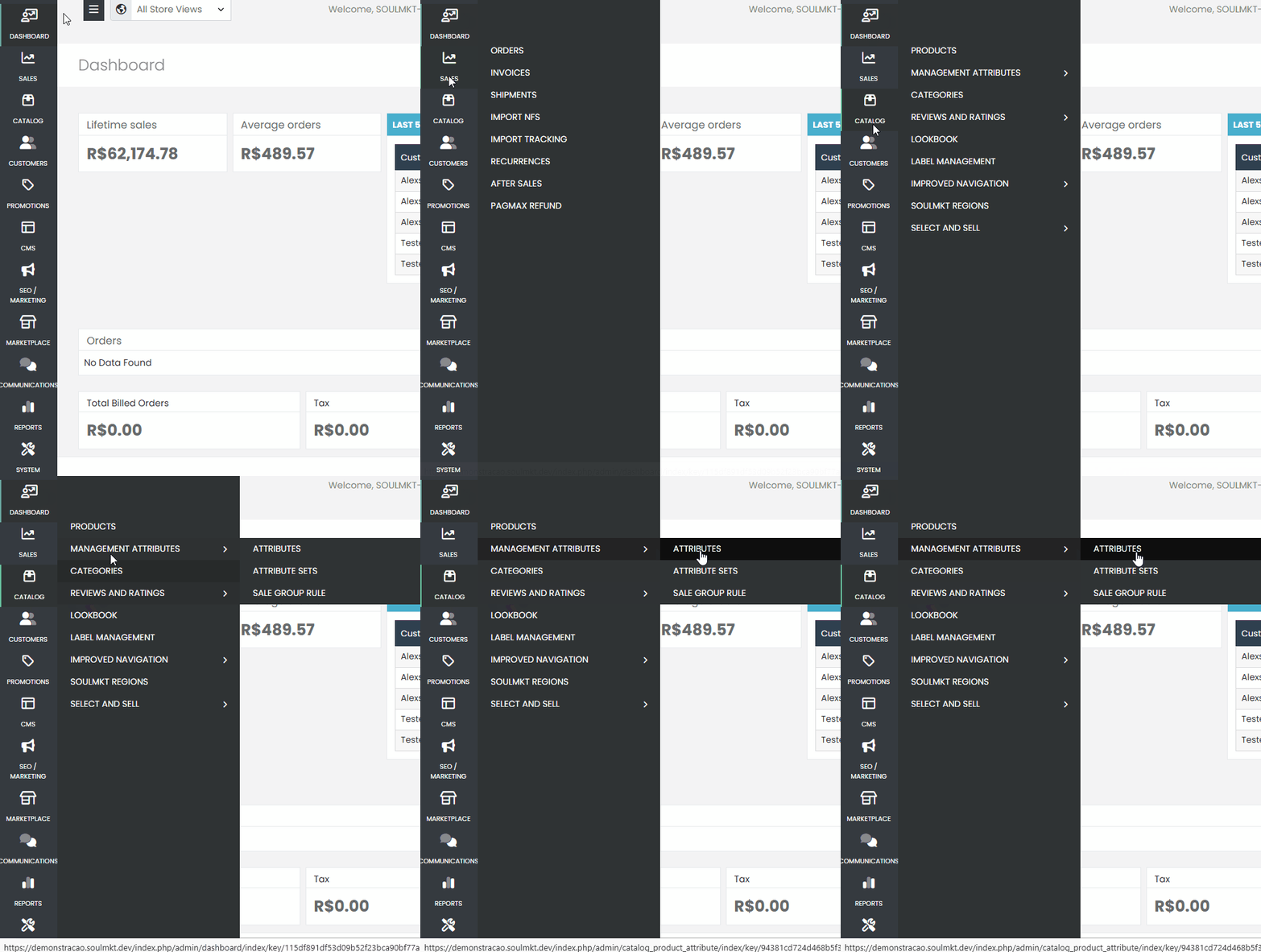
Click the blue Create Attribute button.

Initial Configuration
On the configuration screen, fill in the fields as described below:
- Attribute Code: Choose a representative code. For example, color-test if you want to create an attribute for product colors, such as t-shirts or pants.
- Scope: Choose Store View, unless you are sure that your project will be global (e.g., websites in different languages or countries).
- Attribute Type: Select Drop-Down. This attribute type allows the creation of dropdown lists for selection.
- Apply to Products: Check the option to apply the attribute to all product types. If it is required for configurable products, change the scope to Global and check the option Use to create configurable products.
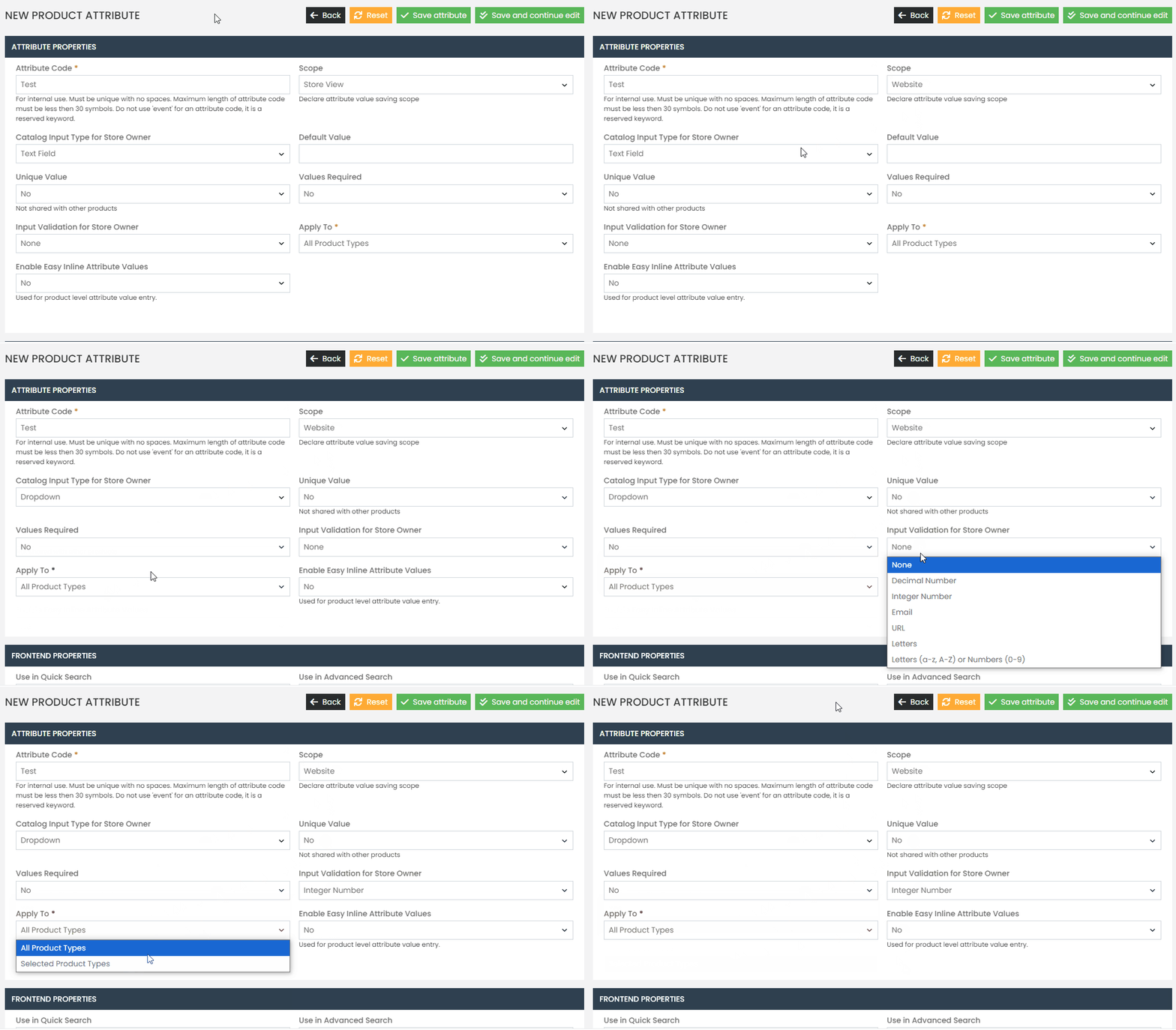
After filling in the information, click Save or Save and Continue Editing.
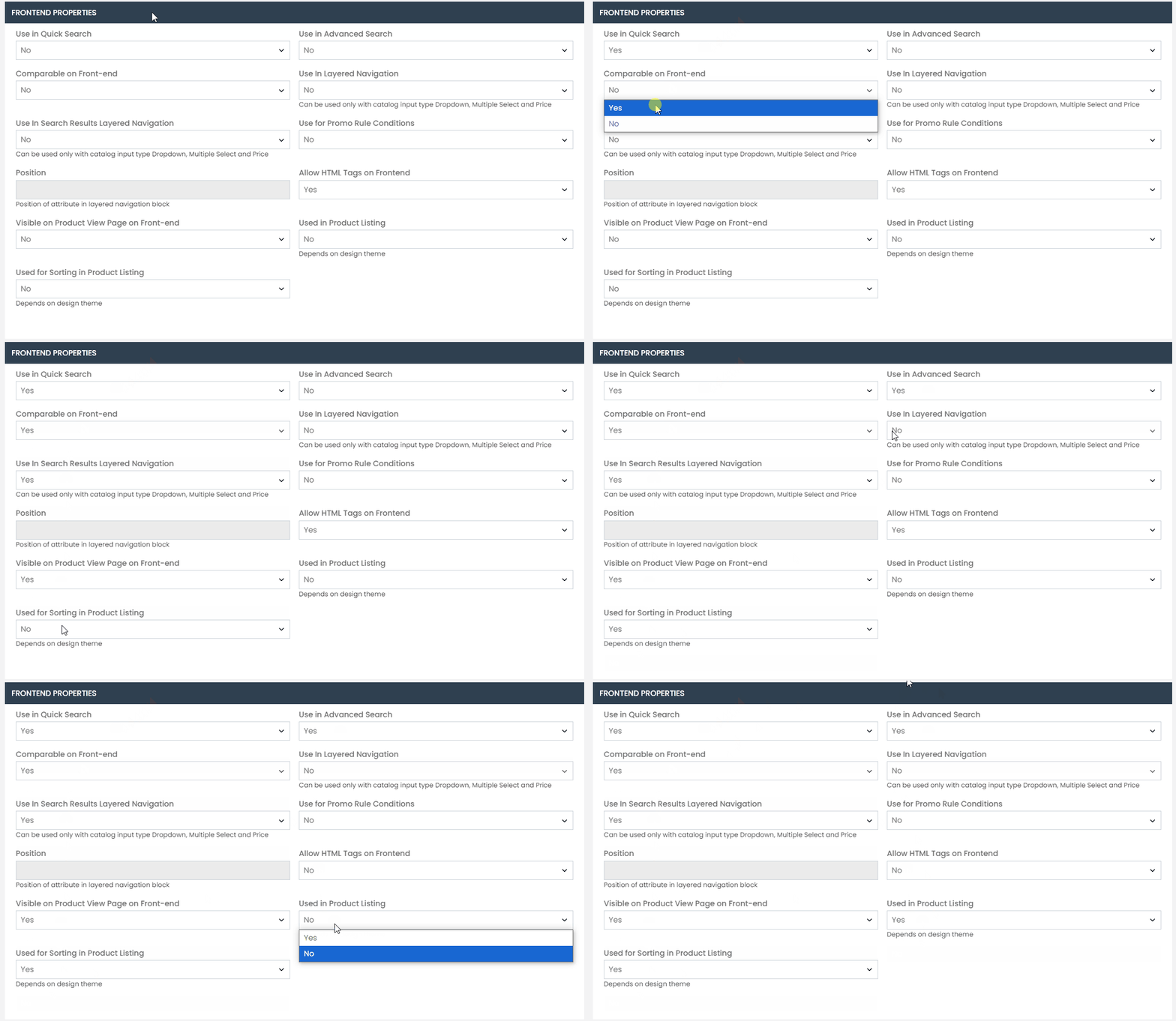
Front-End Properties #
Configure the properties as needed:
- Use in Quick Search: Yes
- Comparable on Front-End: Yes
- Use in Layered Navigation in Search Results: Yes
- Visible on Product Page in Front-End: Yes
- Use in Advanced Search: Yes
- Filterable with Results: Yes
- Use for Generating Promotion Rules: No (unless you want to create specific rules).
- Allow HTML Tags on Front-End: No
To ensure the created attribute appears in the products, it must be added to the corresponding attribute set:
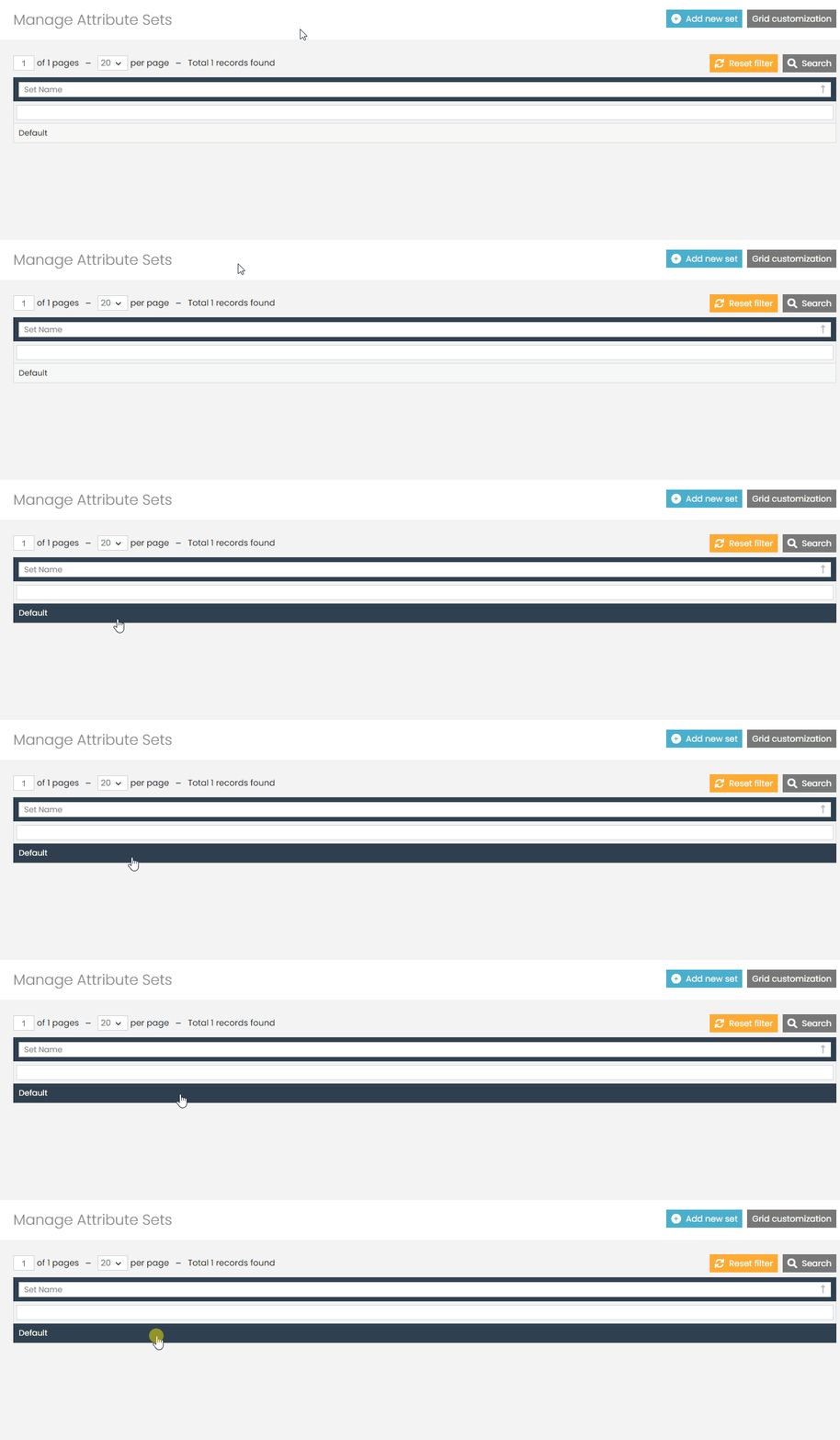
First, navigate to the Catalog option in the sidebar menu. In the new submenu that appears, select Attribute Management, and then click Attribute Set.
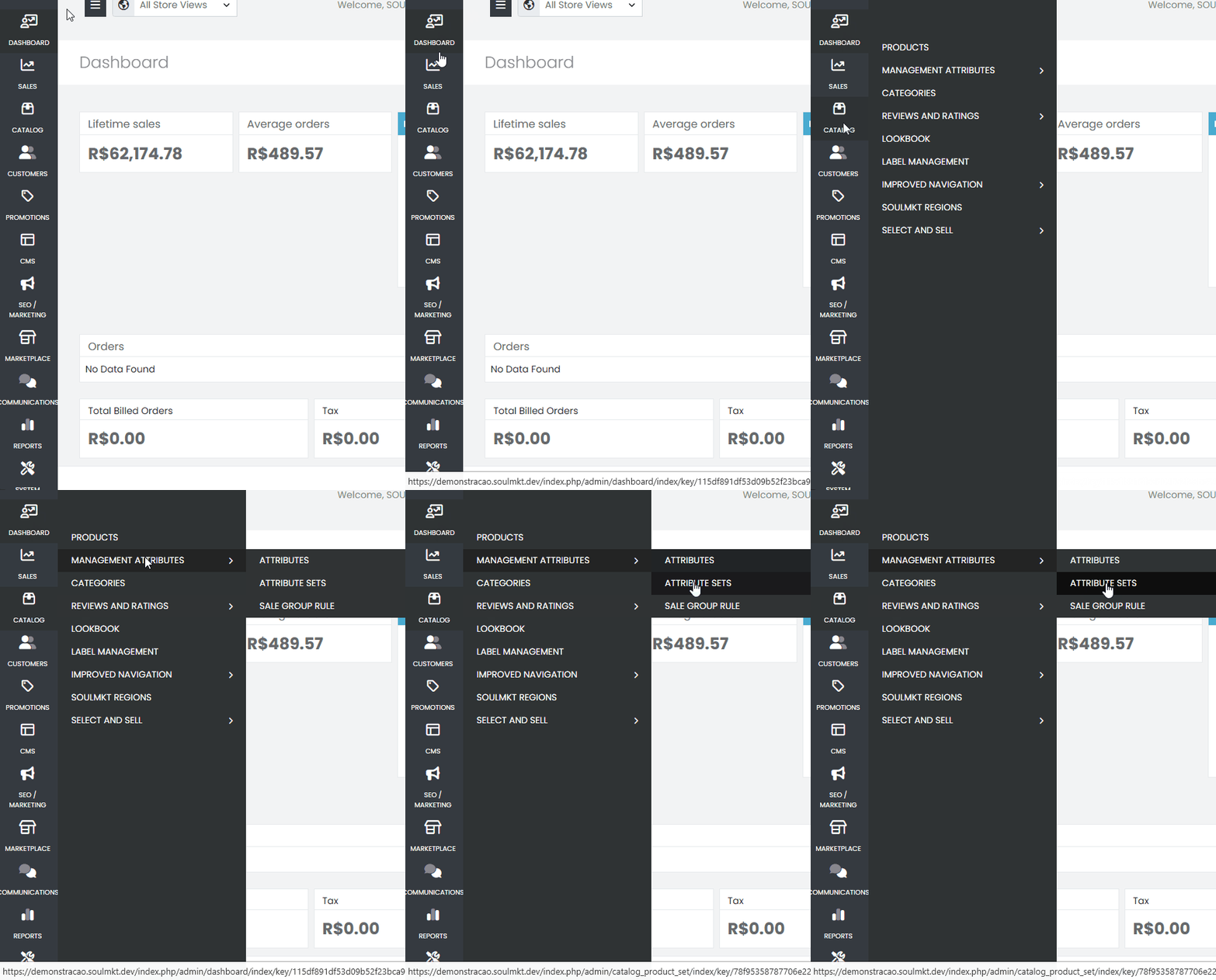
- Access the Attribute Set.
- Drag and drop the created attribute.
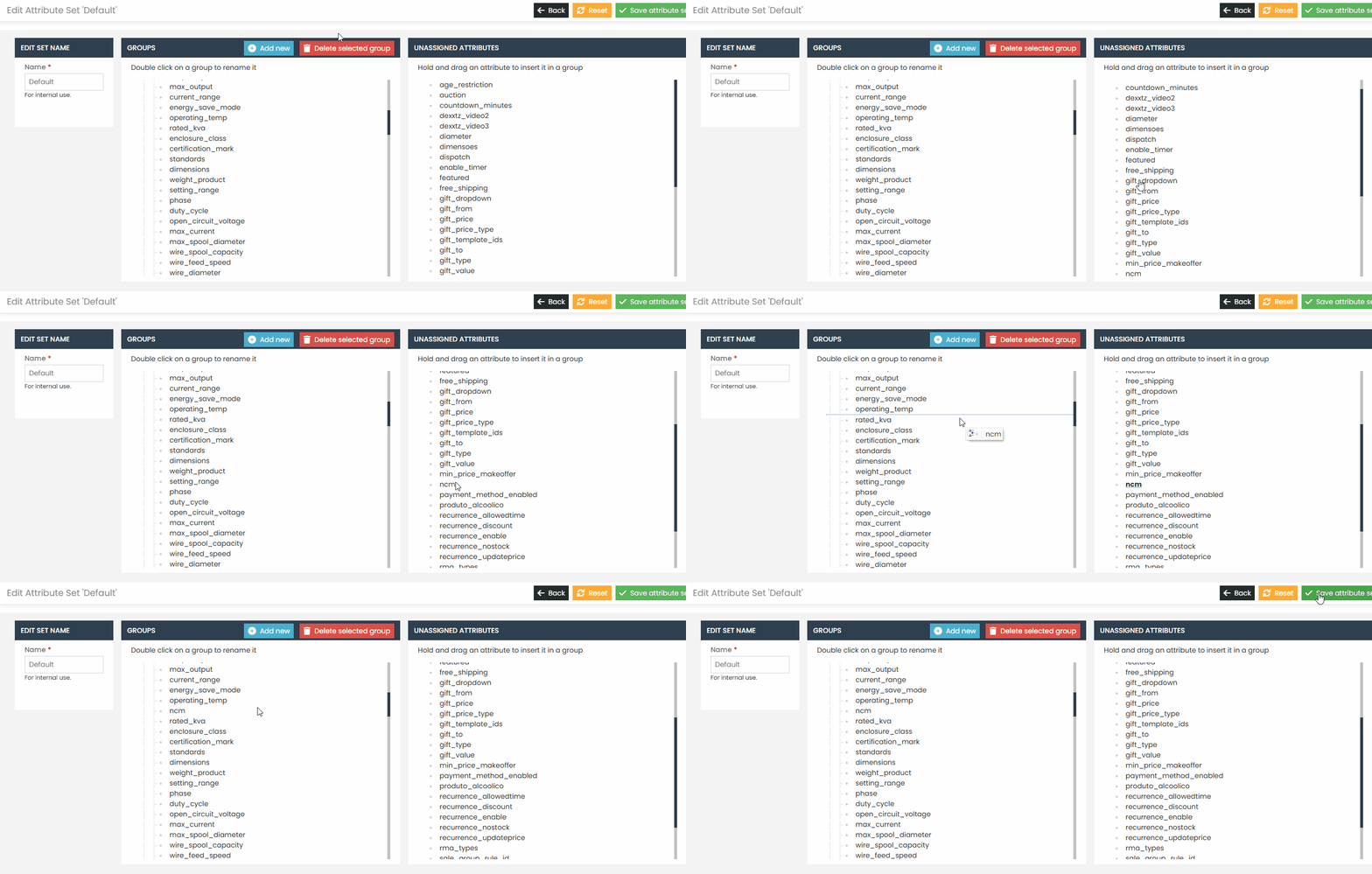
The attribute has been created and is available for use. If you encounter any difficulties or have any questions, please do not hesitate to contact our support team. We are always ready to help!